8
ENGLISH
Basic operation
• For playable audio file, see “Playable files” on page 16.
• To directly select USB/iPod source, press iPod USB.
CD/USB/iPod
Insert a disc
Eject disc
Label side
The source changes to CD automatically and playback starts.
Connect a USB device
USB device
USB input terminal
USB cable*
(commercially available)
The source changes to USB automatically and playback starts.
* Do not leave the cable inside the
vehicle
when not in use.
Connect an iPod/iPhone
iPod/iPhone
USB input terminal
Accessory of the iPod/iPhone*
The source changes to iPod automatically and playback starts.
* Do not leave the cable inside the
vehicle
when not in use.
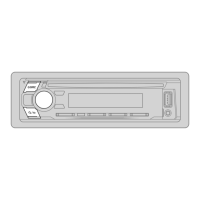
To On the faceplate On the remote control
Play back/pause
Press 6 IW. Press ENT IW.
Reverse/
Fast-forward
Press and hold S /
T.
Press and hold S /
T (+).
Select a track/file
Press S / T. Press S / T (+).
Select a folder*1
Press J / K.
Press #FM+/
AM–.
Repeat play*2 Press 4
repeatedly.
[TRACK REPEAT]
/
[ALL REPEAT]
: Audio CD
[FILE REPEAT]
/
[FOLDER REPEAT]
/
[ALL REPEAT]
: MP3/
WMA/WAV/FLAC file
[FILE REPEAT]
/
[FOLDER REPEAT]
/
[REPEAT OFF]
: iPod
Random play*2 Press 3
repeatedly.
[DISC RANDOM]/[RANDOM OFF]
: Audio CD
[FOLDER RANDOM]
/
[RANDOM OFF]
: MP3/WMA/WAV/
FLAC file, iPod
Press and hold 3 to select
[ALL RANDOM]
.*1
*1
For CD: Only for MP3/WMA files. This does not work for iPod.
*
2
For iPod: Applicable only when [MODE OFF] is selected. (Page
9
)


 To Next Page