ENGLISH
11
AUX
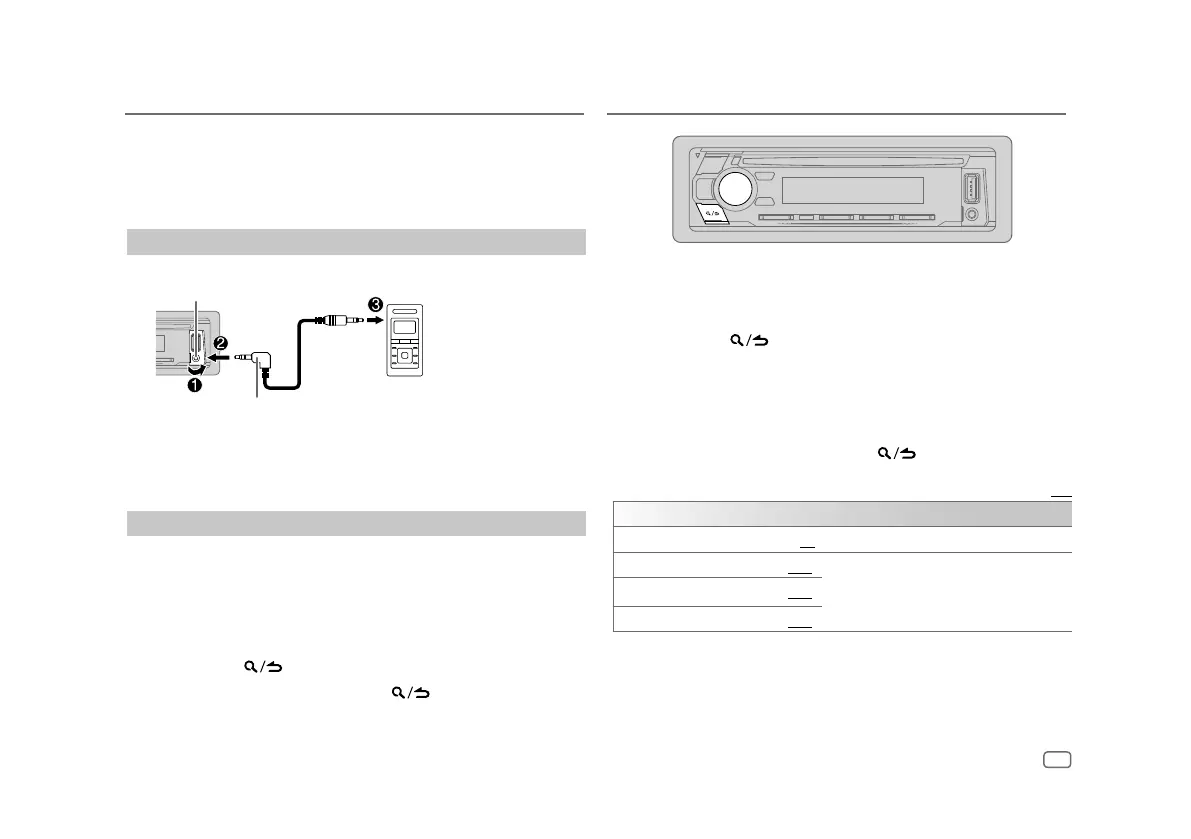
You can listen to music from a portable audio player via the auxiliary input
jack.
Preparation:
Select
[ON]
for
[BUILT-IN AUX]
in
[SOURCESELECT]
. (Page6)
Start listening
1
Connect a portable audio player (commercially available).
Portable audio player
3.5 mm (1/8”) stereo mini plug with “L” shaped
connector (commercially available)
Auxiliary input jack
2 Press B SRC repeatedly to select AUX.
3 Turn on the portable audio player and start playback.
Set the name of the external device
While listening to a portable audio player connected to the unit...
1 Press the volume knob to enter
[FUNCTION]
.
2 Turn the volume knob to select
[SYSTEM]
, then press the knob.
3 Turn the volume knob to select
[AUX NAME SET]
, then press the knob.
4 Turn the volume knob to select an item, then press the knob.
[AUX]
(default)/
[DVD]
/
[PORTABLE]
/
[GAME]
/
[VIDEO]
/
[TV]
5 Press and hold to exit.
To return to the previous setting item, press
.
1 Press the volume knob to enter
[FUNCTION]
.
2 Turn the volume knob to select an item (see the following table), then
press the knob.
3 Repeat step 2 until the desired item is selected or activated.
4 Press and hold to exit.
(or using the remote control)
1 Press AUD to enter
[AUDIO CONTROL]
.
2 Press J / K to select an item, then press ENT IW.
To return to the previous setting item, press
.
Default: [XX]
[AUDIO CONTROL]
[SUB-W LEVEL] [–15] to [+15] ([0]) Adjusts the subwoofer output level.
[BASS LEVEL] [–8] to [+8] ([+2])
Adjusts the level to memorize for each source.
(Before making an adjustment, select the source
you want to adjust.)
[MID LEVEL] [–8] to [+8] ([+1])
[TRE LEVEL] [–8] to [+8] ([+1])
Audio Settings



 To Next Page