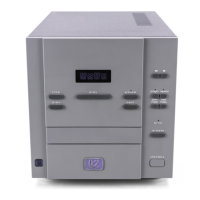
33
2 PRESS THE “NEXT” BUTTON TO CHANGE THE OPTION
In this case, there are only two options: F (fixed output) and A (adjustable
output). Thus as you press next, the setting toggles between the two op-
tions. (You may also use prev, up or down.)
3 PRESS AND HOLD THE P+ BUTTON TO CONFIRM YOUR CHANGE
The CDP’s display will show
done when it has saved your choice to non-
volatile memory. You may either allow the CDP to time-out (return to nor-
mal operation), or press program + again to advance to user setting #2:
mute level (see next section).
Displaying Volume If you elect to use the CDP’s volume control (see Customizing the CDP),
you may change the default display in the round window from the track
number to the current volume setting by pressing and holding the display
button. (You may return to a default display of the track number by clicking
display again.) By default, the CDP will display the track number until ei-
ther the up or the down button is pressed; it will then display the volume
for four seconds (to allow you to see what you are doing). Once the vol-
ume is displayed, continued (or repeated) pressing of the up or down but-
tons will change the output level.
User-definable Mute Level The CDP also allows you to set your preference for mute level. That is to say, you
can determine yourself how large the change in volume will be when you press
mute on the remote control. The factory default is approximately -20 dB (deci-
bels), roughly
1
⁄4 the perceived volume.
Incremental changes in volume occur in 0.55 dB steps throughout most of the
usable range. Thus, the default mute level setting is 36 (since 36 x 0.55dB = 19.8
dB); if you prefer more attenuation of the volume, for example, a setting of 55
would result in about a 30 dB attenuation (55 x 0.55dB = 30.25dB).
To change your mute level setting:
1 PRESS AND HOLD P+ UNTIL THE LEFT DISPLAY SHOWS “U1”
This gets you into the User Setup menu (U1 stands for “User setting #1”).
2 PRESS P+ MOMENTARILY TO ADVANCE TO “U2”
User Setting #2 is the for Mute Level. You will notice a number displayed in
the round display, corresponding to the change in volume outlined above.
(The factory default is 36, corresponding to about 20 decibels).
3 PRESS THE “PREV” OR “NEXT” BUTTON TO CHANGE THE MUTE LEVEL
In this case, you may select any amount of attenuation, from 0 (no effect) to
99 (fully muted). Each click of the prev or next button increments the mute
level setting by one digit, corresponding to a volume change of about 0.5
dB (through most of the range; the steps become larger at very low vol-
umes). If you are using the remote control rather than the front panel to
make these changes, you may use either prev and next, or the up and
down buttons to effect changes.



 To Next Page