
 Need help?
Do you have a question about the Proceq Equotip 3 and is the answer not in the manual?
General guidelines for safe operation and maintenance of the Equotip 3 instrument.
Terms and conditions regarding Proceq's liability and warranty coverage for the device.
Critical safety rules for operating the instrument, including user age and supervision requirements.
Explanation of safety icons used throughout the manual for indicating danger and important information.
Explanation of the Leeb rebound method used by the Equotip 3 for hardness measurement.
Guidelines for preparing test samples, ensuring cleanliness, flatness, and dryness for accurate results.
Specifications for minimum sample weight, thickness, and surface roughness for optimal testing.
Guide to choosing the correct impact device based on material type and sample geometry.
Step-by-step instructions for performing a standard hardness test with the Equotip 3.
Techniques for accurately testing lightweight samples or those prone to vibration.
Advice for testing concave or convex surfaces and the use of specialized support rings.
Considerations for testing thin-walled items and utilizing custom conversion curves for accuracy.
Common use cases and practical applications of the Equotip 3 hardness tester.
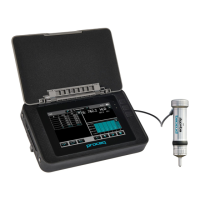
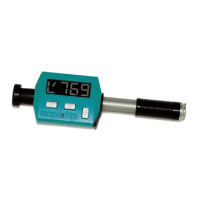
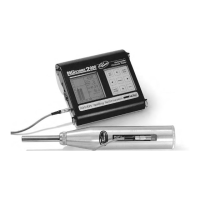
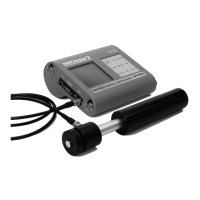
Details on different Equotip 3 models, included parts, and optional accessories.
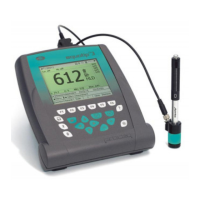
Identification and explanation of the physical components and interface of the Equotip 3.
Description of each key on the device's keypad and its corresponding function.
An overview of the device's menu hierarchy and navigation options.
Initial steps for connecting and preparing the Equotip 3 for operation.
Instructions for switching the Equotip 3 indicating device on and off.
Information on the device's automatic power saving modes and shutdown features.
Procedure for charging the internal battery and interpreting battery status indicators.
Essential checks to perform daily to ensure instrument accuracy and proper function.
Options for customizing the display layout, including bar graphs, basic mode, and signal graphs.
Adjusting the LCD backlight intensity for optimal screen visibility in various lighting conditions.
Configuration of audible alarms for events like measurement completion or limit breaches.
How to access the integrated help system for quick reference and assistance.
Selecting the preferred language for the device's user interface and menus.
Adjusting parameters to compensate for impact angles deviating from vertical.
Selecting material groups to ensure accurate hardness conversions and readings.
Choosing the desired hardness scale (e.g., HLD, HRC, HV) for displaying results.
Defining the quantity of impacts to be performed for each recorded measurement series.
Assigning descriptive alphanumeric names to measurement series for data organization.
Setting upper and lower hardness limits to automatically qualify measurements as pass or fail.
Methods for creating and applying custom conversion curves for specific materials or higher accuracy.
Configuring data export and printing via USB, Ethernet, and RS 232 interfaces.
Setting up user accounts with tailored permissions and password security for device access.
Viewing statistical analysis of measurement series, including mean, standard deviation, and ranges.
Overview of the Equolink 3 software for data management, analysis, and reporting.
General technical data for the Equotip 3, covering dimensions, weight, power, and environmental limits.
Detailed technical specifications for various Equotip 3 impact device types.
List of international standards and industry guidelines that the Equotip 3 adheres to.
Recommended procedures for routine checks to maintain instrument performance and accuracy.
Instructions for cleaning the impact device, indenter ball, and the main unit housing.
Guidelines for storing the Equotip 3 properly to prevent damage and maintain its condition.
When and how to re-calibrate the automatic compensation for impact direction.
Process for updating the device's firmware and operating system via the Equolink 3 software.
Solutions for common issues causing inaccurate readings or failed performance verification.
Steps to diagnose and resolve issues where the device fails to display readings.
Troubleshooting steps for an unresponsive or blank device display.
Guidance on battery charging, replacement, and recalibrating the battery lifetime indicator.
Interpretation and resolution of various error messages encountered during operation.
Diagnosing and addressing performance degradation, such as slow key response or display delays.
Procedure to perform a hard reset on the Equotip 3 to correct operational faults.
 General
| Interface | USB, Bluetooth |
|---|---|
| Power Supply | Rechargeable battery |
| Hardness Scales | HL, HV, HRB, HRC, HS |
| Display | LCD with backlight |
| Data Storage | Internal memory |
| Operating Temperature | -10°C to +50°C |
| Impact Device Types | D, C, E, G |
| Impact Direction | Vertical |
| Technique | Dynamic Leeb hardness testing |
| Measurement Principle | Dynamic measurement of rebound hardness |
| Accuracy | ± 4 HL (at HL800) |



 To Next Page