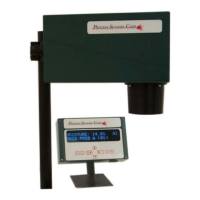
Dual Mode
Constit 1: 3.6% 01
Constit 2: 25.9% 01
Pressing Display
Rotate a third time will
revert the display to the
two constituent 'home
screen'
Triple Mode
Constit 3: 34.5% 01
Prod: Prod A (01)
Constit 1: 3.6% *
Prod: Prod A (01)
Pressing the Display
Rotate a third time will
select the third
constituent menu
Pressing Display
Rotate a fourth time will
revert the display to the
three constituent 'home
screen'
Note: The Display Rotate key will rotate between the constituent menus at any lower level in the
menus, e. g. When the display is on Constituent 1, Prod. Code 1, zero setting, pressing the Display
Rotate will switch the display to Constituent 2, Prod. Code 1, zero setting.
7. 1.3 Prod. Code Select
Both constituents have 9 Calibration codes allowing the MCT to be calibrated for 9 different
products. Each constituent has independent codes, but they are ‘tied’ for each product.
The display will indicate, at the extreme right, the Prod. Code being used at any time.
Changing the Prod. Code is made by pressing the Code Key # until the desired code is presented
and then pressing ENTER to activate that number. Note: Calibrations can be extended to 50,
call PSC for details.
11



 To Next Page