Appendix VIII
Product Temperature Option IRt/c
P/N 240-021
The MCT sensor may be fitted with a non-contact infrared temperature sensor that will measure the temperature of
the product surface as it passes the MCT.
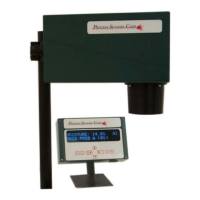
The temperature sensor and associated interface circuit card are mounted inside the MCT case. The sensor is
installed in a polymeric sight window inside the sensor window shroud.
The IRt/c sensor gives an output that is similar to that from a thermocouple. This signal is then linearized by the
interface electronics and the resulting temperature measurement is connected to the MCT electronics. The
temperature measurement is then presented on the Operator Interface and through the MCT sensor’s analog and
digital outputs.
Temperature Sensor Specifications
Measurement Range: 20-120C (70-250F)
Accuracy: +/- 0.3C (0.5F)
Field of View: 3:1 (temp. spot = distance from product/3)
Spectral Response: 6.5 to 14 microns
Calibration
The IRt/c and interface card are pre-calibrated for the measurement range of 20-120C. All infrared-based
temperature sensors are influenced by the emissivity of the material they are measuring. Due to these emissivity
variations between materials there may be a need to adjust the ‘zero’ or ‘offset’ of the IRt/c’s calibration so as to
make the temperature reading correct for the desired material. The following procedure is recommended for the
adjustment of the temperature reading.
1. Install the MCT sensor above the product at the desired height.
2. Make sure that the product passing the MCT is at the normal operating temperature.
3. Using an acceptable ‘absolute’ temperature measuring device, measure the surface temperature of the
product.
4. Using the Operator Interface, select the TEMPERATURE menu.
Select CAL PARAMETERS.
Select Zero: 00.0
Adjust the zero setting up or down to make the temperature readings on the display match that given by the
‘absolute’ device.
DO NOT ADJUST THE SPAN SETTING (WHICH NEEDS TO BE LEFT AT 1.0) AS THIS WILL
INFLUENCE THE ACCURACY OF THE READING.
69



 To Next Page