- 10 -
6.Printing process
(powder shaker is purchase separately)
Instructional video link:https://youtu.be/MpAovwtM7R8
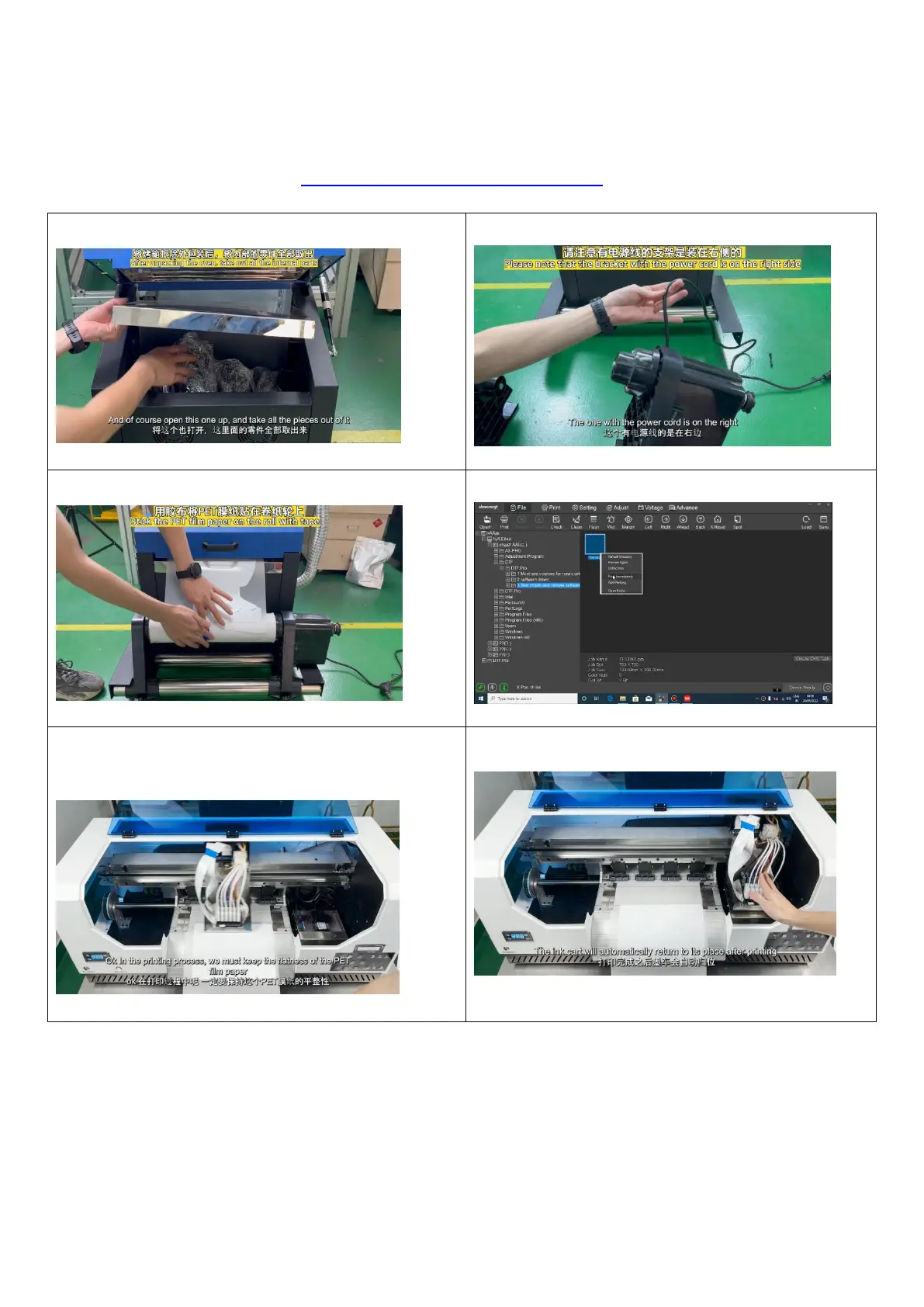
1. Take out all the accessories from the oven 2. Install the receiving module
3. Fix the PET film to the receiving module 4. Use RIPRint to print pictures
5.Make sure the PET film is flat during the printing
process
6.After printing, the print head returns to the right


 To Next Page