Need help?
Do you have a question about the Procolored UV DTF-I608 and is the answer not in the manual?
Essential safety guidelines for printer operation and handling.
Ensuring proper use and preventing electrical shock hazards.
Guidelines for repairs, child supervision, and unattended operation.
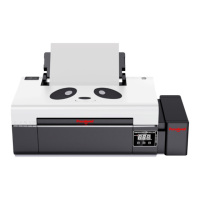
Visual overview and labeling of key printer parts and their locations.
Checking the package for damage and removing cable ties.
Connecting the printer to power supply and computer via USB.
Preparing a container for storing waste ink.
Steps for creating a folder and accessing Windows Security Center.
Configuring security settings to allow software installation.
Excluding the printer software folder from security scans.
Enabling controlled folder access and adding the software folder.
Copying driver files and unzipping the VRIP package.
Procedure for installing film rods, fixing brackets, and axis brackets.
Steps to mount and secure the film reels and rollers.
Threading the film through the printer and aligning axes.
Executing test prints and configuring print settings.
Instructions for adding cyan, magenta, yellow, black, white, and varnish inks.
Procedures for extracting ink and managing waste ink.
Cleaning print heads and printing nozzle state diagrams.
Assessing print quality based on color, mixed color, and line breaks.
Installing the RIIN software and configuring basic settings.
Loading printer profiles and spot color settings.
Making spot color channels in Photoshop for printing.
Saving images as TIF, importing into RIIN, and setting print resolution.
Saving print configurations as PRN files.
Opening saved print files and starting the printing process.
Completing the print job and preparing for sticker cutting.
Routine cleaning of print heads and print diagram.
Performing print head tests and checking operational status.
Procedures for cleaning the raster bar and ink station components.
Detailed steps for cleaning the bottom of the print head assembly.
Greasing the rail and performing the reset operation after maintenance.
Cleaning glue residue from the platen roller and printing platform.
Information on print head maintenance, UV ink properties, and warranty exclusions.
 General
| Ink Type | UV Ink |
|---|---|
| Ink Color | CMYK + White |
| Operating System | Windows |
| Print Technology | UV DTF |
| Maximum Print Size | 600mm x 800mm |
| Print Width | 600mm |
| RIP Software | Maintop |
| Power | 220V / 50Hz |
| Interface | USB |

 To Next Page