- 11 -
7.Daily maintenance
Instructional video link:https://youtu.be/61IvAcTH9o4
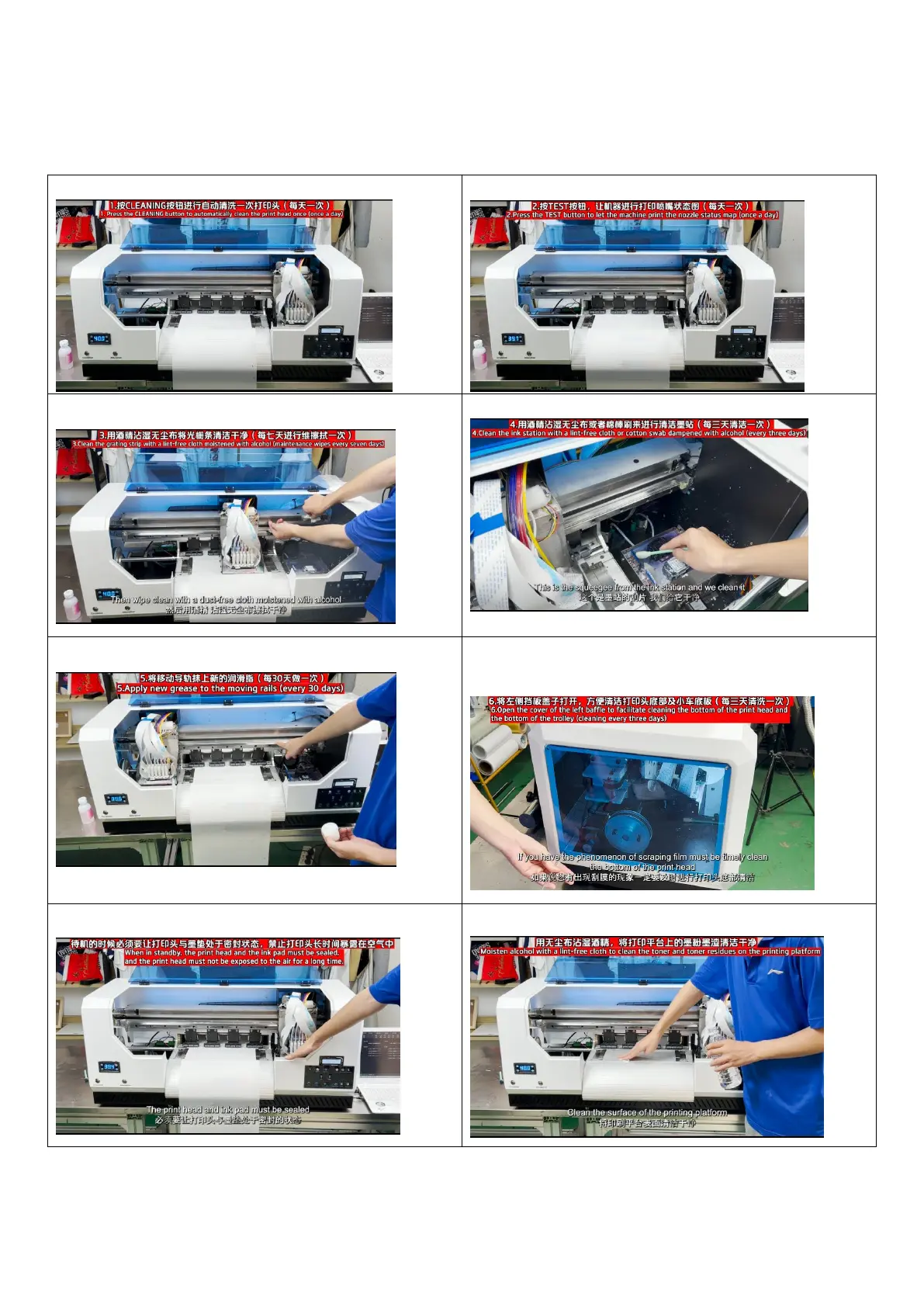
1.Cleaning the print head
2.Print the printhead status diagram
3.Clean the grating strips 4.Clean the ink station
5.Clean the rails and lubricate them 6.Open the side panel and clean the bottom of the
printhead
7. print head and ink pad must be in contact during standby 8.Clean the print platform


 To Previous Page