12
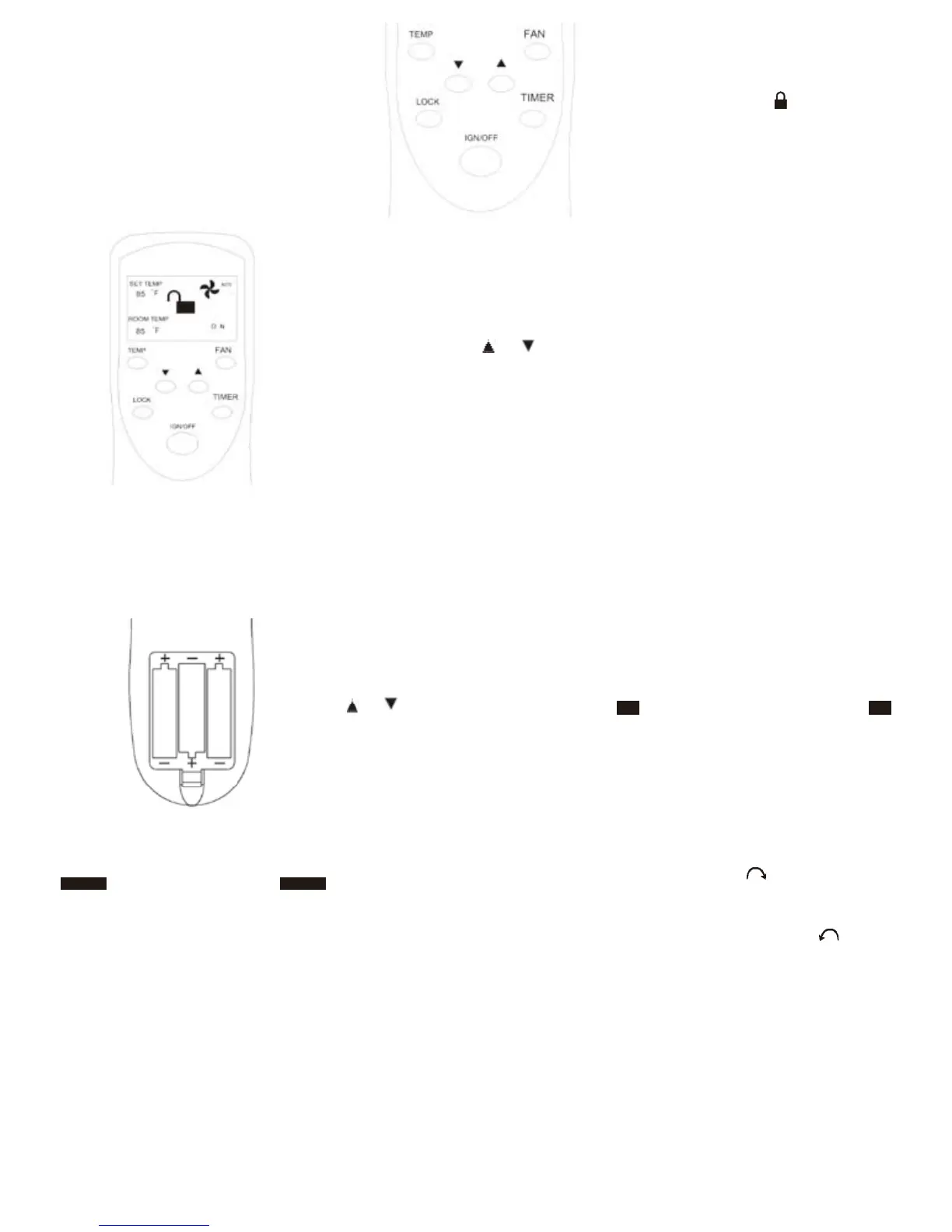
Fig 15 - Control board
SETTING TIMER
A UTO OFF :
With burner operating, press TIMER
button. Then press or to change
to the scheduled time, then press the
TIMER button again, the TIMER starts
timing and the TIMER will flash and the
green operation light flashes. Burner will
automatically shut off at set time.
TO TURN OFF GAS
TO APPLIANCE
Shut off heater
1. Press the IGN/OFF button.
2. Set Switch on OFF position or unplug
the electric power to the heater. (See
Figure 12)
-
8. If the appliance will not operate, fol
-
low the instructions “To Turn Off Gas
To Appliance” and call your service
technician or gas supplier.
Fig 13 - Front of Remote Control
LOCKING REMOTE CONTROL
(child proof)
1.Key press locking:
Press LOCK button, a symbol will ap -
pear on the LCD.
2.Key-press unlocking:
Press LOCK button and hold until lock
image shows unlocked.
OPERATING FAN
Press FAN button for desired fan operation.
AUTO: Blower will come on several min -
utes after burner comes on and will go off
several minutes after burner goes off.
OFF: Blower is off.
MANUAL OPERATING
INSTRUCTIONS
We provide the manual control system
in the event of power shortage.
Install battery for Manual Ignitor:
1. Unscrew the ignitor cap.
2. Insert a AAA type battery with its anode
(“+”) pointing out.
3. Screw the ignitor cap back.
Note: We recommend that the battery be
taken out of the ignitor when the power
supply resumes.
LIGHTING INSTRUCTIONS
If power is off, you can operate the
fireplace manually.
1. STOP! Read the safety information on
page 11.
2. Check that gas supply to heater is on.
3. Open bottom front access panel.
4. Push in gas Control Knob slightly and
turn clockwise to the OFF posi -
tion. If Control Knob is on ELECTRIC
position, press in the Control Knob
and turn counterclockwise to OFF
position.
NOTE : Knob cannot be turned from
PILOT/IGN to “OFF” unless knob is
pushed in slightly. Do not force.
Fig 14 - Back of Remote Control
(cover removed)
OPERATING HEATER
Continued
SETTING TEMPERATURE
With burner is on “Auto” position, press
or to change to the desired tem -
perature.



 To Next Page