10 PLG029b
ENGLISH
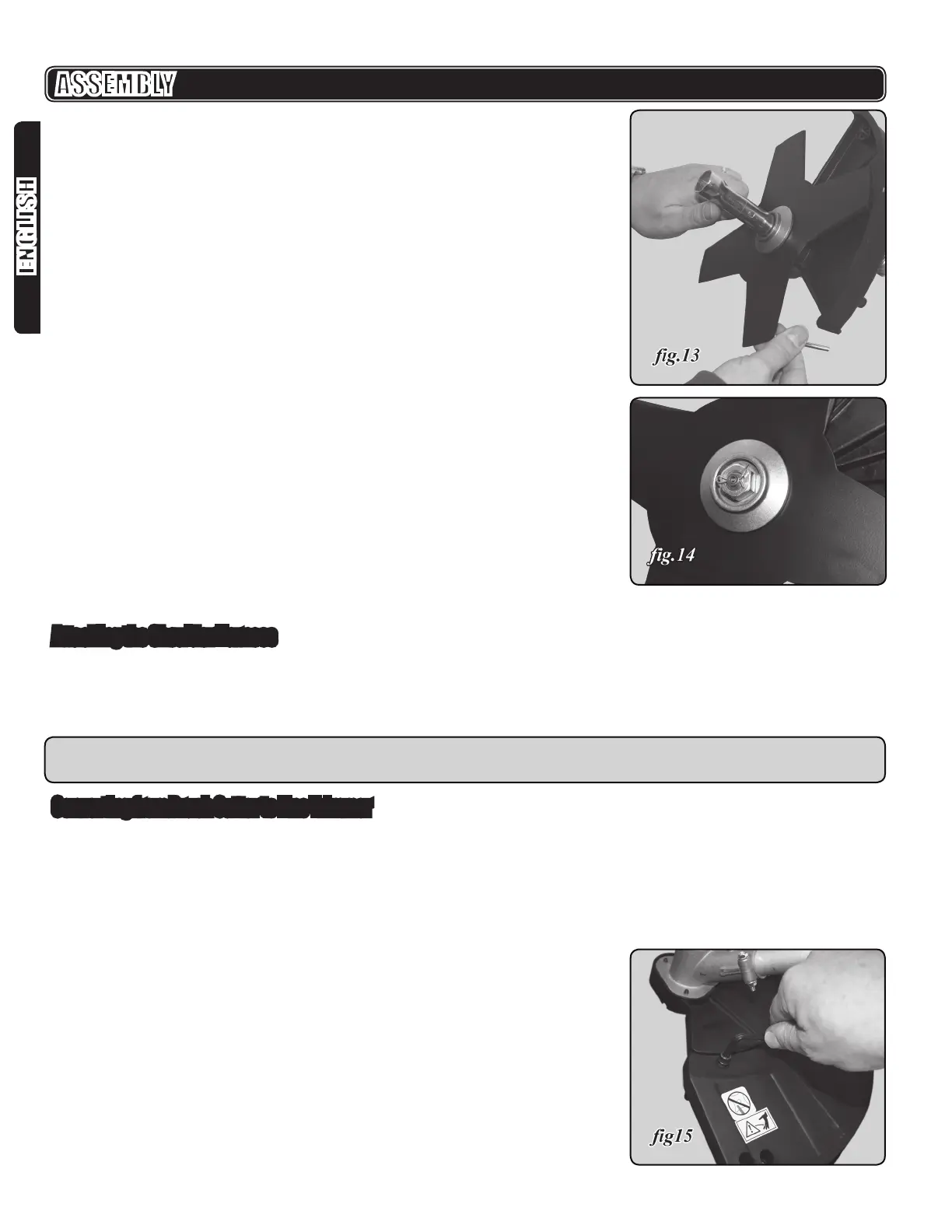
10. Install the blade nut by turning it counter-clockwise (left handed threads).
11. Tighten the blade nut securely and torque to 13.55 Nm (120 in/lbs) minimum:
nger tight plus 1/2 turn with the 18mm / 20mm socket - phillips screw driver
tool (g.13).
12. Insert the nut retention cotter pin (U, g.4) through the shaft and bend the ends
ASSEMBLY
Attaching the Shoulder Harness
1. Connect the snap hook on the shoulder harness to the strap hanger at either
the forward suspension point (F, g.1) or the main suspension point (I, g.1),
whichever balances the machine more easily.
2. Adjust the strap to a comfortable position.
NOTE: In case of an emergency, push the release on the snap hook and remove
the harness from the machine
Converting from Brush Cutter to Line Trimmer
To convert from the brush cutter to the line trimmer:
1. Remove the nut retention cotter pin (U, g.4).
2. Remove M12 left-threaded hex blade nut (T, g.4) by turning it clockwise.
3. Remove the blade retainer ange (S, g. 4).
4. Remove the brush cutter blade.
5. Using the 5mm hex key, remove the 3 hex socket head bolts and lock washers
in the brush cutter guard.
6. Attach the safety guard extension for line trimmer to the brush cutter guard with
the 3 hex socket head bolts and lockwashers. (g.15).


 To Next Page