22 PRODIGIT
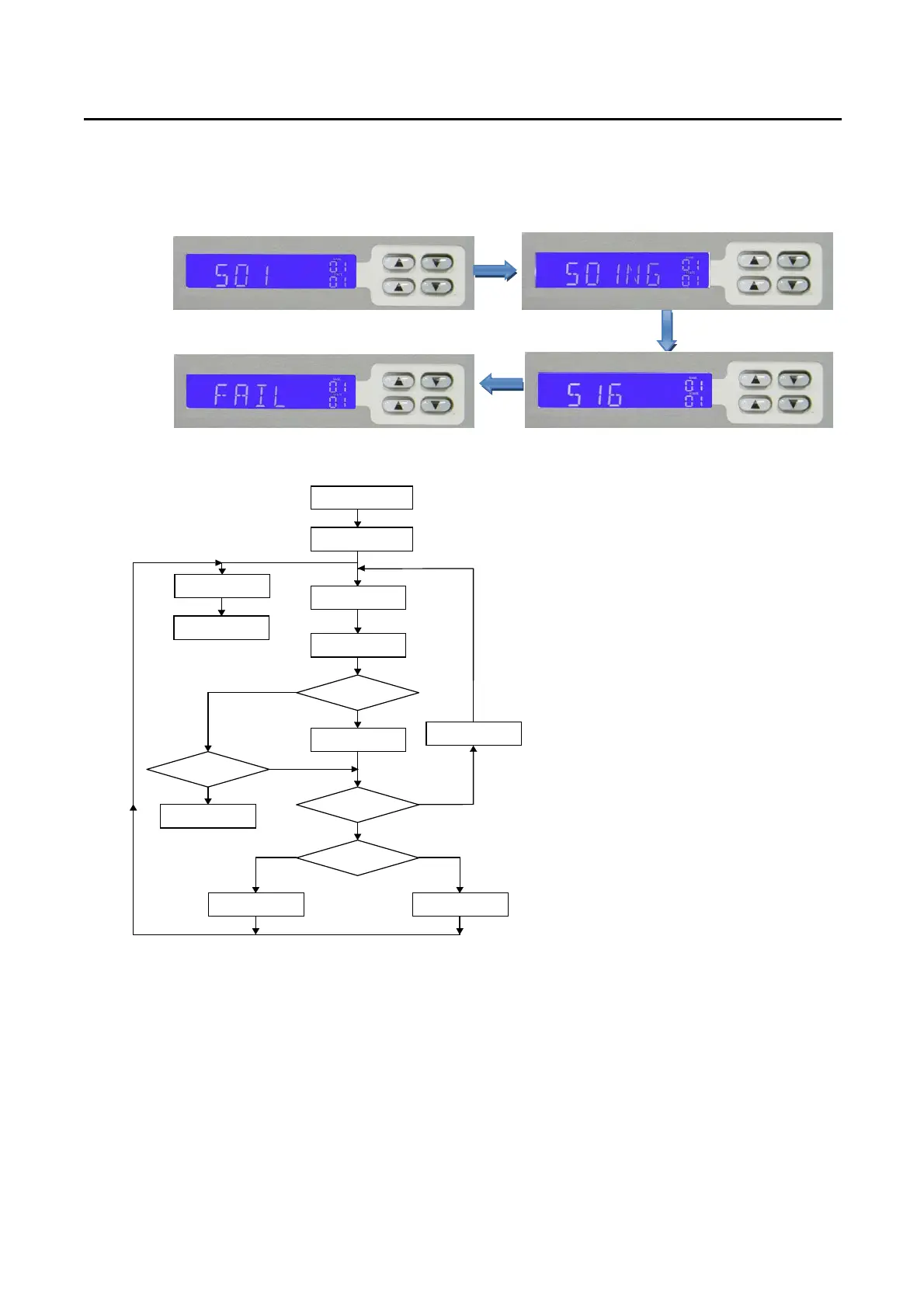
Example 2: Once the edit mode has been used to set the 16 step auto-sequence the user
Can press the TEST key. If the test fails at one of the test steps the LCD will flash
“NG” and the test will stop. The user can then press ENTER key to continue the
Test or press the EXIT button to leave the test mode.
1.Pr ess TEST key
2.Pr ess STATE 1~9 Select F 1-F9
Ch e ck the G O /NG i n dic a t or
Sto p t e sting if th e r e s ult w as NG .
1.R e ca l l cor r espon d m e m ory w hich had b e en
sto r ed i n F1- F 9 mem o ry
3.1
Pr e ss ENTE R to b e con t i nu e d.
3.2 Press E XIT to end the test,and back to normal mode.
2
3
4
4.I f t e st is GO,th a n s t ep i s last ?
4. 1 I f no t han S t ep+1 , c on t inue a nothe r s t e p
4.2 If “ Y es” , than if all the test in all m odule is pass, show GO
4. 3 I f
“
Yes
”
, th
ani f ther e is at least one failu re d ur i ng th e
te s t, show N G
5
5 .2
5 .3
5 .1
4 .1
4 .2
1
Fig 3-5 TEST MODE OPERATION FLOW-CHART


 To Next Page