
 Need help?
Do you have a question about the Prodigit 3302F Mainframe and is the answer not in the manual?
Pre-operation checks including line voltage and fuse verification.
Emphasizes the importance of proper grounding for shock hazard prevention.
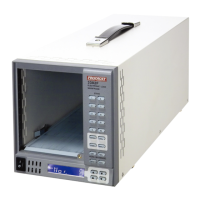
Key features of the 3302F mainframe, including configuration and interfaces.
Procedure for checking and replacing the mains input fuse.
Ensures correct grounding via AC input for shock hazard prevention.
General operating procedures.
How to store and recall load configurations using memory banks and states.
How to configure the mainframe to recall a setting on power on.
Introduction to auto-sequence functionality.
How to enter and configure auto-sequence steps.
Visual guide for creating an auto-sequence.
How to enter and run an auto-sequence test.
Visual guide for executing an auto-sequence test.
Configuration details for the RS232 interface.
Explains syntax indicators, parenthesis usage, and terminators.
Lists setting and query commands in simple format.
Summary of remote control setting commands.
Summary of remote control query commands.
Continues summary of remote control query commands.
Summary of measurement commands.
Lists setting commands in complex format.
Summary of complex setting commands.
Summary of complex query commands.
Continues summary of complex query commands.
Summary of complex limit commands.
Summary of stage commands for load control.
Continues summary of stage commands.
Summary of measure commands.
Lists commands for file, step, repeat, and run operations.
Describes the initial steps of MPPT testing in CC mode.
Details of MPPT commands for CC, CR, and CV modes.
Syntax for MPPT related commands.
Lists commands for file, step, repeat, and run operations.
Sets and reads the RISE SLEW-RATE for current change.
Sets and reads the FALL SLEW-RATE for current change.
Sets and reads TLOW and THIGH of a DYNAMIC waveform.
Sets and reads voltage level for LOAD ON.
Sets and reads voltage level for LOAD OFF.
Sets and reads HIGH/LOW current levels for dynamic waveforms.
Sets and reads the initial value for OCP test.
Sets and reads the increasing value for OCP test.
Sets and reads the maximum value for OCP test.
Sets and reads the initial value for OPP test.
Sets and reads the increasing value for OPP test.
Sets and reads the maximum value for OPP test.
Turns MPPT (maximum power point tracking) test ON/OFF.
Sets/reads HIGH/LOW current limits, triggers NG signal.
Sets/reads HIGH/LOW power limits, triggers NG signal.
Sets/reads HIGH/LOW voltage limits, triggers NG signal.
Sets/reads upper/lower voltage limits for short tests.
Sets and reads the operating mode of the LOAD.
Initiates the load test based on TCONFIG.
Measures the load current.
Measures the load voltage.
Reads the power being taken by the load.
Step-by-step guide to setting up an auto-sequence.
Step-by-step guide to recalling and running an auto-sequence.
 General
| Brand | Prodigit |
|---|---|
| Model | 3302F Mainframe |
| Category | Industrial Electrical |
| Language | English |

 To Next Page