8
GENERAL INFORMATION
Thank you for having chosen a PROEL product.
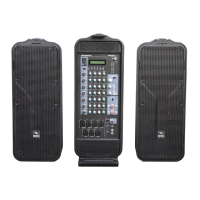
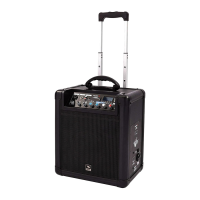
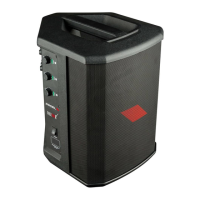
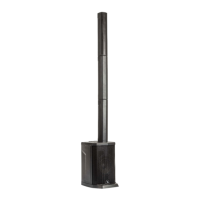
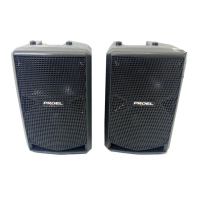
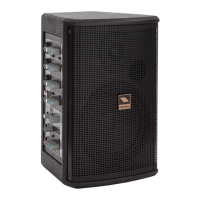
FREEPASS6 is a combo sound system including a speaker, an amplier and a 5-input mixer in an ultra-compact and
portable package. The 2-way speaker system includes a 1” neodymium tweeter and a 6.5” woofer, able to provide an
extended and detailed frequency response. The built-in amplier delivers to the speakers 75W of connuous power. In
addion, it can power an external speaker with another 75W thru the POWER OUT connector.
The system includes a high-quality 5-input mixer featuring 2-band CHANNEL EQ, 3-band MAIN MIX EQ, MONITOR output
and a sophiscated DIGITAL EFFECT with 16 presets.
FREEPASS6 is hosted in a compact and rugged MDF cabinet nished with a durable an-scratch black paint, which
provides maximum portability and road-proof operaon. Two M4 threaded inserts on the boom and on the side of
the cabinet allow the included metal adapter to be used for installing the system on a standard speaker stand, both in
vercal and horizontal posion.
FREEPASS6 is a cost-eecve, ultra-compact, all-in-one system for mobile musicians, vocal P.A. and indoor sporng,
religious or business events. The 5 inputs available in the built-in mixer allows a variety of signals to be connected,
while the possibility to double the power connecng a second speaker allows the system to be used also in outdoor
applicaon where a higher SPL is required.
OPERATING INSTRUCTIONS (FIG. 1 / 2 / 3 / 4)
1. CH1-3 MIC/LINE Input
This is a female JACK/XLR combo connector, which accepts a balanced microphone XLR input from almost any type of
microphone, or a line JACK input, which accepts a balanced or unbalanced line level input signal from almost any source.
The XLR inputs are wired as follows:
Pin 1 = shield or ground
Pin 2 = + posive or "hot"
Pin 3 = - negave or "cold"
The ¼” (6.3mm) jack inputs are wired as follows:
Tip = + posive or "hot"
Ring = - negave or "cold"
Sleeve = shield or ground
When connecng an unbalanced signal, wire them as follows:
Tip = + posive or "hot"
Sleeve = shield or ground
2. CH1-5 LEVEL control.
Adjusts the level of the channel signal.
3. CH1-5 HIGH tone control
This control boosts or cuts the high frequencies with a "SHELVING" curve shape. Use it to increase or reduce the sound
"clarity" or "brightness".
4. CH1-5 LOW tone control
This control boosts or cuts the low frequencies with a "SHELVING" curve shape. Use it to increase or reduce the sound
"punch".
5. CH1-5 FX level control
This control sends the signal to the internal digital eect processor. This signal is post-fader, or in other words it depends
on the posion of the channel's FADER.
6. CH4-5 STEREO LINE inputs
Use these unbalanced RCA connectors to patch the output of a player, such as an analog tape deck, MP3 player, CD/DVD
player or a Personal Computer.
7. CH1-3 PHANTOM switch
This switch acvates (ON) and deacvates (OFF) the phantom power on MIC Inputs. Most professional condenser
microphones require phantom power, which is a lower DC voltage delivered to the microphone on pin 2 and 3 of the
XLR microphone connector. Dynamic microphones do not require phantom power, however phantom power will not
harm most dynamic microphones should you plug one in while the phantom power is on. Check the manual of your
microphone to nd out for sure whether or not phantom power can damage it.
8. MAIN MIX HIGH tone control
This control gives you up to 12dB boost or cut at 8KHz with a "SHELVING" curve shape. Use it to increase or reduce the
sound "clarity" or "brightness" of the whole mix.


 To Next Page