14
GENERAL INFORMATION
Thank you for having chosen a PROEL product.
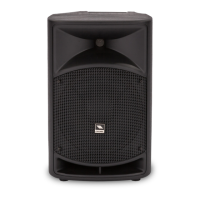
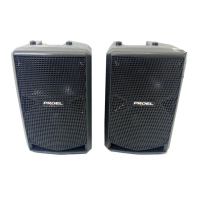
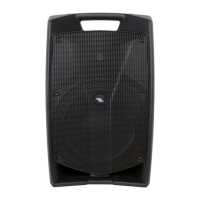
V PLUS series is the evoluon of the acclaimed V series of PROEL powered loudspeakers delivering absolute value in
terms of performance, engineering and design at a more aordable cost. These ultra-portable speakers combine, in
carefully engineered and light-weight cabinets, the clearest and most accurate PROEL sound with Class D amplier
technology and Switch Mode Power Supply, oering an unbeatable PA soluon at its price point.
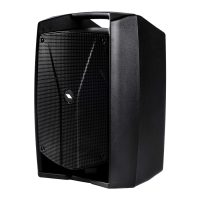
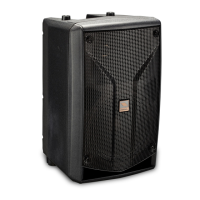
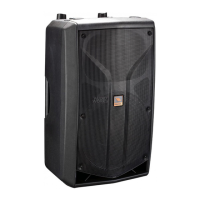
The three models, V10PLUS, V12PLUS and V15PLUS, feature an extremely ecient amplier module capable of
delivering 600 W of robust power to the transducers. Thanks to the use of SMPS technology, this power comes in an
ultra-lightweight package, making the V PLUS the most portable PROEL speakers ever. The power module is hosted in a
fully sealed aluminium box, which provides protecon, perfect insulaon of the cabinet from the outside and extremely
ecient cooling.
Thanks to the carefully selected speakers and to the sophiscated acve electronics, including dual CLIP LIMITERS for
an undistorted sound even at the loudest level, the sound of the V PLUS has been precisely tuned in every details, in
order to provide unheard performance in this price range.
The V PLUS cabinets, expression of the most advanced Italian design, include a super-comfortable luggage-style top
handle for an eortless portability. The slanted shape allows the speakers to be laid on their side and used also as stage
monitors.
INSTRUCTIONS (FIG. 1 / 2 / 3)
1. INPUT (combo XLR-JACK input)
This is a female combo connector, which accepts a XLR or a JACK plug from almost any type of equipment with a
balanced or unbalanced outputs. The XLR input is wired as follows:
Pin 1 = shield or ground
Pin 2 = + posive or "hot"
Pin 3 = - negave or "cold"
The JACK input is wired as follows:
Tip = + posive or "hot"
Ring = - negave or "cold"
Sleeve = shield or ground
When connecng an unbalanced signal, wire them as follows:
Pin2 / Tip = + posive or "hot"
Pin 1-3 / Sleeve = shield or ground
NOTE: whenever possible, use always balanced cables. Unbalanced lines may also be used but may result in noise over
long cable runs. In any case, avoid using a balanced cable for one channel and an unbalanced one for the other.
2. LINK (XLR output)
This is a male XLR connector, it is connected in parallel with the respecve INPUT socket, so the LINK is wired as INPUT.
Connect these to the inputs of other powered speakers to make an array.
3. MIC / LINE switch
This switch adjusts the gain of the LINE/MIC input varying the sensivity between MIC, suited to connect a microphone,
and LINE, suited to connect a device with high level output like a MIXER, a CD player etc.
NOTE: do not use the MIC sensivity to "pump up" the volume with the LINE level equipment, in order to avoid the
analogue input saturaon that could produce very annoying distoron.
4. GND LIFT switch
This switch li the ground of the balanced audio inputs from the earth-ground of the amplier. If you have HUM noise
problem on one or more loudspeaker try to change the posion of these switches (oen all up or all down for all the
ampliers in the system). Please note that to have an eect all cables must be balanced.
5. LEVEL control
Rotary level control: it aenuates the level of the signal sent to the INPUT. The aenuaon ranges from “0” fully closed
(the signal is completely aenuated) to “10” fully open, nominal level (the signal is not aenuated in any way, so it is
fed to the internal amplier at the same level at which it arrives on input).
6. LOW control
This control gives you up to 6 dB boost or cut at 90 Hz with a "SHELVING" curve shape. Use it to add or reduce the sound
"punch", or to reduce the low frequency rise when the speaker is set near walls or on oor as stage monitor.


 To Next Page