12
32
60
14
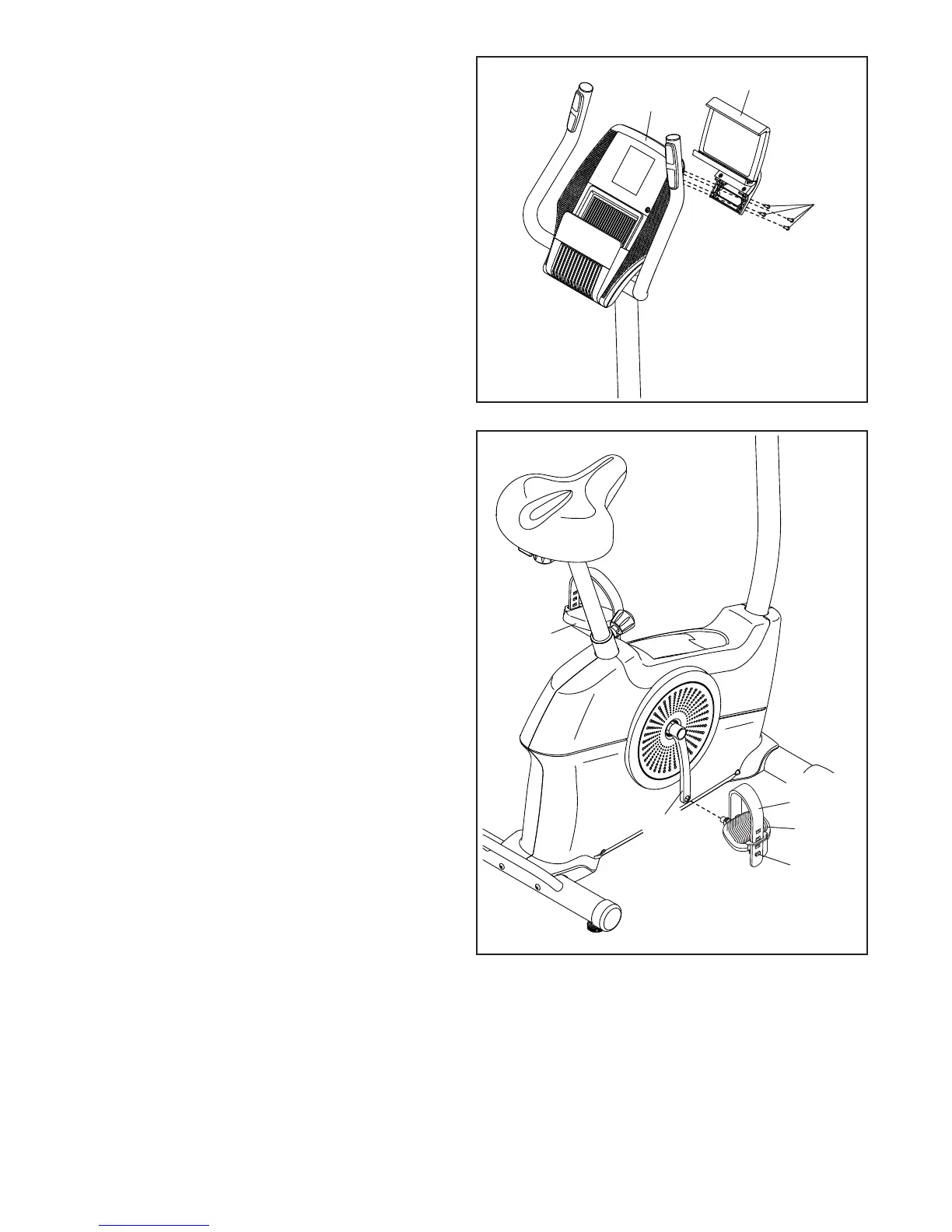
14. Identify the Right Pedal (60).
Using an adjustable wrench, firmly tighten the
Right Pedal (60) clockwise into the Right Crank
Arm (59).
Firmly tighten the Left Pedal (32) coun-
terclockwise into the Left Crank Arm (not
shown). IMPORTANT: You must turn the Left
Pedal counterclockwise to attach it.
Adjust the strap on the Right Pedal (60) to the
desired position, and press the ends of the strap
(I) onto the tabs (J) on the Right Pedal. Adjust
the strap on the Left Pedal (not shown) in the
same way.
J
I
59
7
8
1
13. Attach the Tablet Holder (1) to the Console (7)
with four #8 x 5/8" Screws (8); start all the
Screws, and then tighten them.
13




 To Next Page