EasyManua.ls Logo

ProForm 380 E - User Manual

ProForm 380 E
32 pages
Print Icon
To Next Page IconTo Next Page
Loading...
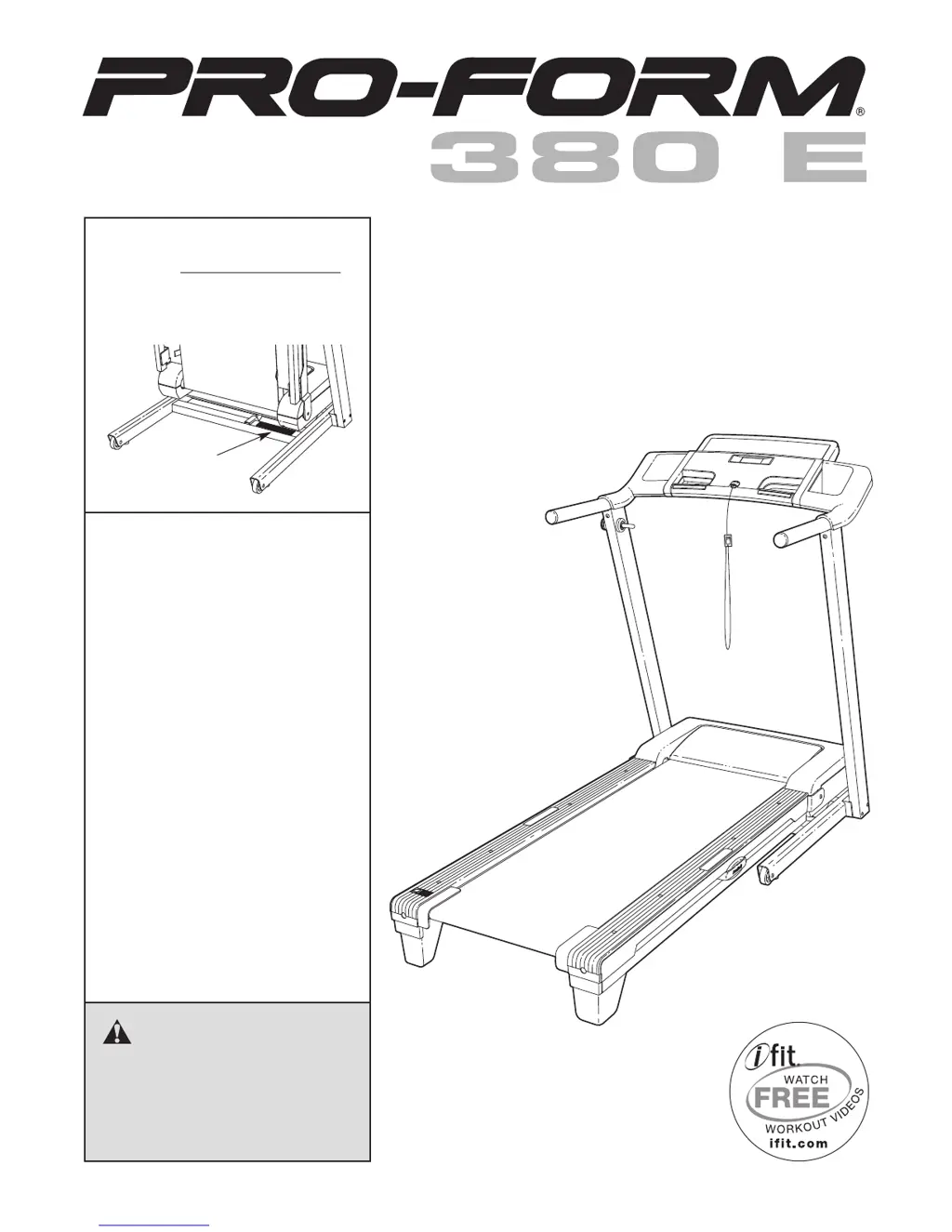
Serial
Number
Decal
Model No. PFTL39508.0
Serial No.
Write the serial number in the space
above for future reference.
CAUTION
Read all precautions and instruc-
tions in this manual before using
this equipment. Save this manual
for future reference.
QUESTIONS?
As a manufacturer, we are com-
mitted to providing complete cus-
tomer satisfaction. If you have
questions, or if parts are missing,
PLEASE DO NOT CONTACT
THE STORE; please contact
Customer Care.
IMPORTANT: You must note the
product model number and
serial number (see the drawing
above) before contacting us:
CALL TOLL-FREE:
1-888-533-1333
Mon.–Fri. 6 a.m.–6 p.m. MST
Sat. 8 a.m.–4 p.m. MST
ON THE WEB:
www.proformservice.com
USER'S MANUAL
www.proform.com

Questions and Answers

  • J
    Jamie JohnsonJul 31, 2025
    How to fix ProForm Treadmill if the power does not turn on?
    • O
      Olivia LeeJul 31, 2025
      First, ensure the power cord is properly plugged into a surge suppressor, and that the surge suppressor is connected to a grounded outlet. Use a single-outlet surge suppressor meeting specific requirements. Note that the ProForm Treadmill isn't compatible with GFCI-equipped outlets. Next, check that the key is correctly inserted into the console. Finally, examine the reset/off circuit breaker on the treadmill frame near the power cord. If the switch protrudes, the breaker has tripped. To reset it, wait five minutes, then press the switch back in.
  • M
    Mr. Michael Watson MDAug 5, 2025
    What to do if the incline of my ProForm 380 E Treadmill does not change correctly?
    • J
      Jennifer HillAug 5, 2025
      If the incline on your ProForm Treadmill isn't changing correctly, insert the key and press an Incline button. While it's changing, remove the key, and after a few seconds, re-insert it. The treadmill will automatically rise to the maximum incline and then return to the minimum, recalibrating the incline system.
  • K
    Katelyn EdwardsAug 10, 2025
    Why does my ProForm 380 E Treadmill turn off during use?
    • R
      Rose SmithAug 10, 2025
      If your ProForm Treadmill turns off during use, check the reset/off circuit breaker. If tripped, wait five minutes before pressing the switch back in. Also, ensure the power cord is securely plugged in; if it is, unplug it, wait five minutes, and plug it back in. You can also try removing and reinserting the key from the console. If the treadmill still won't run, no answer.
  • V
    vkingAug 15, 2025
    What to do if ProForm Treadmill walking belt is off-center or slips?
    • A
      Amanda McintyreAug 15, 2025
      If the walking belt on your ProForm Treadmill is off-center, unplug the power cord and remove the key. If the belt has shifted left, turn the left idler roller bolt clockwise 1/2 turn. If it's shifted right, turn the bolt counterclockwise 1/2 turn. Avoid overtightening. Plug in the power cord, insert the key, and run the treadmill briefly. Repeat until centered. If the belt slips, unplug the treadmill and remove the key. Turn both idler roller bolts clockwise 1/4 turn. The belt should lift 2 to 3 inches off the platform's edge when correctly tightened. Keep the belt centered. Plug in the power cord, insert the key, and carefully walk on the treadmill for a few minutes. Repeat until properly tightened.
  • B
    Brandon BriggsAug 20, 2025
    Why does the walking belt on my ProForm Treadmill slow down when I walk on it?
    • L
      lbrownAug 20, 2025
      If the walking belt slows down when you walk on your ProForm Treadmill, use a single-outlet surge suppressor that meets the specifications. If the walking belt is overtightened, remove the key and unplug the power cord. Turn both idler roller bolts counterclockwise 1/4 of a turn. When properly tightened, you should be able to lift each edge of the walking belt 2 to 3 inches off the walking platform. Keep the walking belt centered. Plug in the power cord, insert the key, and run the treadmill for a few minutes. Repeat until the walking belt is properly tightened. If the walking belt still slows when walked on, no answer.
  • C
    cassidy65Aug 25, 2025
    How to turn off demo mode on ProForm 380 E?
    • L
      Lori JonesAug 25, 2025
      If the console displays on your ProForm Treadmill remain lit after removing the key, the demo mode may be activated, which is designed for store displays. To deactivate it, press and hold the Stop button for a few seconds. If the displays are still lit, see THE INFORMATION MODE on page 18 to turn off the demo mode.

Summary

Safety Warnings and Precautions

Warning Decal Placement

Illustrates the location of warning decals on the treadmill for user safety.

Pre-Operation Setup and Guidelines

Treadmill Assembly

Assembly Hardware and Tool Requirements

Lists required tools and hardware components for treadmill assembly.

Step-by-Step Assembly Instructions

Detailed instructions for assembling the treadmill, covering base, uprights, and console components.

Treadmill Operation

Treadmill Usage Modes

Treadmill Folding and Mobility

Treadmill Troubleshooting

Resolving Power and Display Issues

Solutions for common problems like power not turning on and console display errors.

Treadmill Performance Troubleshooting

Incline and Belt Speed Adjustments

Troubleshooting steps for incorrect incline changes and walking belt speed issues.

Treadmill Belt Alignment

Centering and Tightening the Walking Belt

Instructions for adjusting the walking belt to correct off-center or slipping issues.

Exercise Guidelines

Parts Ordering and Warranty

ProForm 380 E Specifications

General IconGeneral
BrandProForm
Model380 E
CategoryTreadmill
LanguageEnglish

Related product manuals