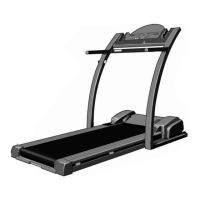
STEP-BY-STEP CONSOLE OPERATION
Make sure that the power
cord is properly plugged
in (see page 9). Next,
step onto the foot rails of
the treadmill. Find the
clip attached to the key,
and slide the clip onto
the waistband of your clothes. Test the clip by care-
fully taking a few steps backward until the key is
pulled from the console. If the key is not pulled
from the console, adjust the position of the clip as
needed.
Note: The console can display distance and speed in
either kilometres or miles. (See HOW TO SELECT
KILOMETRES AND MILES on page 12.)
Insert the key fully into the console.
Inserting the key will
not turn on the dis-
plays. The displays
will turn on when the
On/Reset button is
pressed or when the
walking belt is started.
Note: If you just in-
stalled batteries, the displays will already be on.
Reset the speed control and start the walking
belt.
Slide the speed control
down to the Reset position.
Note: Each time the walk-
ing belt is stopped, the
speed control must be
moved to the Reset posi-
tion before the walking
belt can be restarted.
After you have moved the speed control to the
Reset position, slowly slide the speed control up-
ward until the walking belt begins to move at slow
speed. Carefully step onto the walking belt and
begin exercising. Change the speed of the walking
belt as desired by sliding the speed control.
To stop the walking belt, step onto the foot rails
and slide the speed control to the Reset position.
During the first few minutes that you use the tread-
mill, inspect the alignment of the walking belt, and
align it if necessary (see page 16).
2
1
CAUTION:Before operating the
console, read the following precautions.
• Do not stand on the walking belt when turn-
ing on the power.
• Always wear the clip (see the drawing
above) whilst using the treadmill. When the
key is removed, the walking belt will stop.
• Adjust the speed in small increments.
• To reduce the possibility of electric shock,
keep the console dry. Avoid spilling liquids
on it and use only a sealable water bottle.
On/Reset
Button
11
If there is a thin sheet of
clear plastic on the console,
remove it.
Clip
Key




 To Next Page