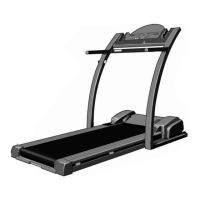
Adjust the incline of the treadmill as desired.
To change the incline of the
treadmill, press the top or bot-
tom of the incline control until
the desired incline level is
reached.
Follow your progress with the four displays.
Speed display—This
display shows the speed
of the walking belt.
Time display—This
display shows the
elapsed time.
Distance display—
This display shows the
distance that you have
walked or run.
Cals/Fat Cals/Pulse
display—This display
shows the approximate
numbers of calories and
fat calories you have
burned. (See Fat
Burning on page 17.)
Every few seconds, the
display will change
from one number to the
other. Arrows in the
display will indicate
which number is cur-
rently shown. Note:
When the chest pulse sensor is worn, this display
will also show your heart rate.
To reset the displays at any time, press the
On/Reset button.
When you are finished exercising, stop the
walking belt and remove the key.
Step onto the foot rails, stop the walking belt, and
remove the key from the console. The displays will
turn off a few minutes after the key is removed.
Note: To conserve the batteries, the displays
will automatically turn off any time that the
walking belt is stopped and the On/Reset but-
ton is not pressed for a few minutes.
HOW TO SELECT KILOMETRES AND MILES
The console can display distance and speed in either
kilometres or miles. To change the unit of measure-
ment, first UNPLUG THE POWER CORD. Next, re-
move the screws attaching the console to the console
base. Lift the console a few inches, being careful not to
pull on the wires, and turn the console over. Locate the
small switch on the back of the console. Move the
switch up or down to select kilometres or miles.
Reattach the console to the console base. Next, re-
move one of the batteries from the console for
about five seconds and then reinsert it. This will
reset the console.
5
4
3
Screws
Console
Screws
Switch
Arrow
12




 To Next Page