r_ Follow your progress with the LED track and
the four displays.
See step 5 on page 10.
_Wl Measure your pulse, if desired.
See step 6 on page 11.
_r_ when the program is finished, remove the
key.
Step ontothe foot rails and remove the key from
the console. Keep the key in a secure place. Note:
If the displays and various Indicators on the
console remain lit after the key is removed, the
console is In the "demo" mode. Refer to the in-
structions st the right and turn off the demo
mode.
When you are finished usingthe treadmill, move
the on/offswitch near the power cord tothe off
position.
THE INFORMATION MODFJDEMO MODE
The console features an informationmode that keeps
track ofthe total number of hours that the treadmill has
been operated and the total number of miles that the
walking belt has moved. The informationmode also
allows you to switchthe console from miles per hourto
kilometers per hour. In addition, the information mode
allows you to turn on and turn off the demo mode.
To select the informationmode, hold down the STOP
button while insertingthe key into the console. When
the informationmode is selected, thefollowing informa-
tionwillbe shown:
The DISTANCEILAPS
displaywill show the total
number of miles that the
walking belt has moved.
..... i
O_STANCE LAPS
The TIME/INCLINE/SEG.
TIME display willshow the
total number of hoursthe
treadmill has been used.
An "E," for english miles, or
an "M," for metric kilometers,
willappear in the SPEED/
MIN-MILE display. Press the
SPEED A button tochange
the unitof measurement.
_!E!D E................... i
IMPORTANT: The CALO-
RIES/FAT CALORIES/
PULSE display should be
blank. If a =d"appears inthe
display,the console isin the
"demo" mode. This mode is
intendedto be used only
when a treadmillis displayed
in a store. When the console
is in the demo mode, the
power cord can be plugged
in, the key can be removed
from the console, and the dis-
plays and indicators on the
console will automatically light in a preset sequence,
although the buttons on the console will not operate. If a
"d" appears in the CALS./FAT CALSJPULSE display
when the information mode is selected, press the
SPEED V button so the CALSJFAT CALS./PULSE
display is blank.
VGKQ PULSE I
CJ_LS FAT C_LS
vEKG PULSE
CALS F_:_i"CALS
To exitthe informationmode, remove the kay from the
console.
OPTIONAL CHEST PULSE SENSOR
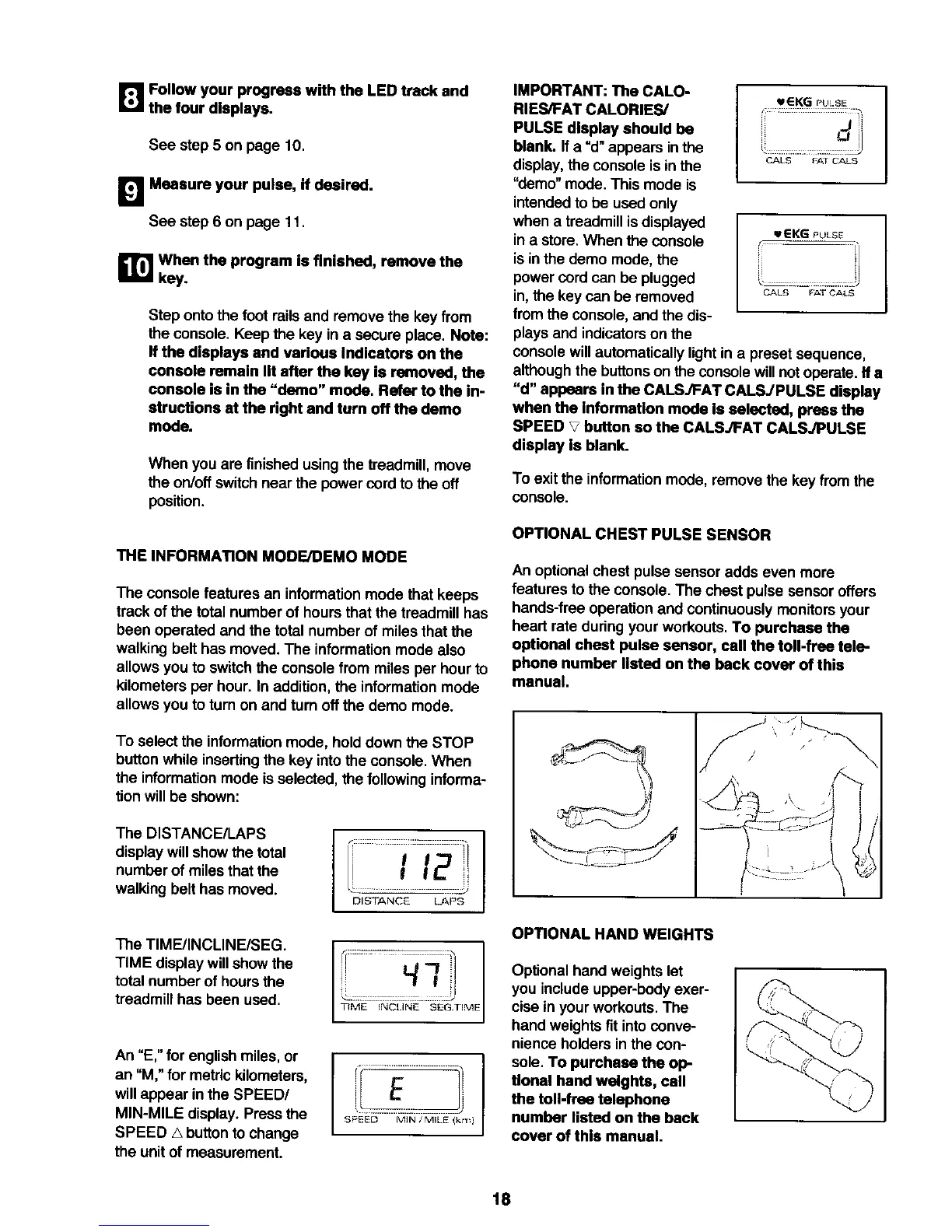
An optional chest pulse sensor adds even more
features to the console.The chest pulse sensor offers
hands-free operation and continuouslymonitors your
heart rate during yourworkouts. To purchase the
optional chest pulse sensor, call the toll-free tele-
phone number listed on the back cover of this
manual.
OPTIONAL HAND WEIGHTS
Optionalhand weights let
you include upper-body exer-
cise In your workouts. The
hand weights fit into conve-
nience holders in the con-
sole. To purchase the op-
tional hand weights, call
the toil-free telephone
number listed on the back
cover of this manual.
18






 To Next Page