B FollowyourprogresswiththeLEDtrackand
thefourdisplays.
See step 5 on page 10.
I_ Measure your pulse, If desired.
See step 6 on page 11.
li_ When the program Is finished, remove the
key.
Stepontothe foot railsand removethe key from
the console.Keep the key in a secure place. Note:
Ifthe displays and various Indicators on the
console remain nt after the key Is removed, the
console Is In the "demo" mode. Refer to the In-
strucUons at the right and turn off the demo
mode.
When you are finishedusingthe treadmill,move
theon/offswitchnear the powercordto theoff
position.
THE INFORMATION MODE/DEMO MODE
The consolefeatures an informationmodethat keeps
trackof the total number of hoursthat thetreadmill has
been operated and the total numberof milesthat the
walking belt has moved. The informationmode also
allowsyouto switchthe consolefrom miles per hour to
kilometersper hour. In addition,the informationmode
allowsyouto turn on and turn off the demo mode.
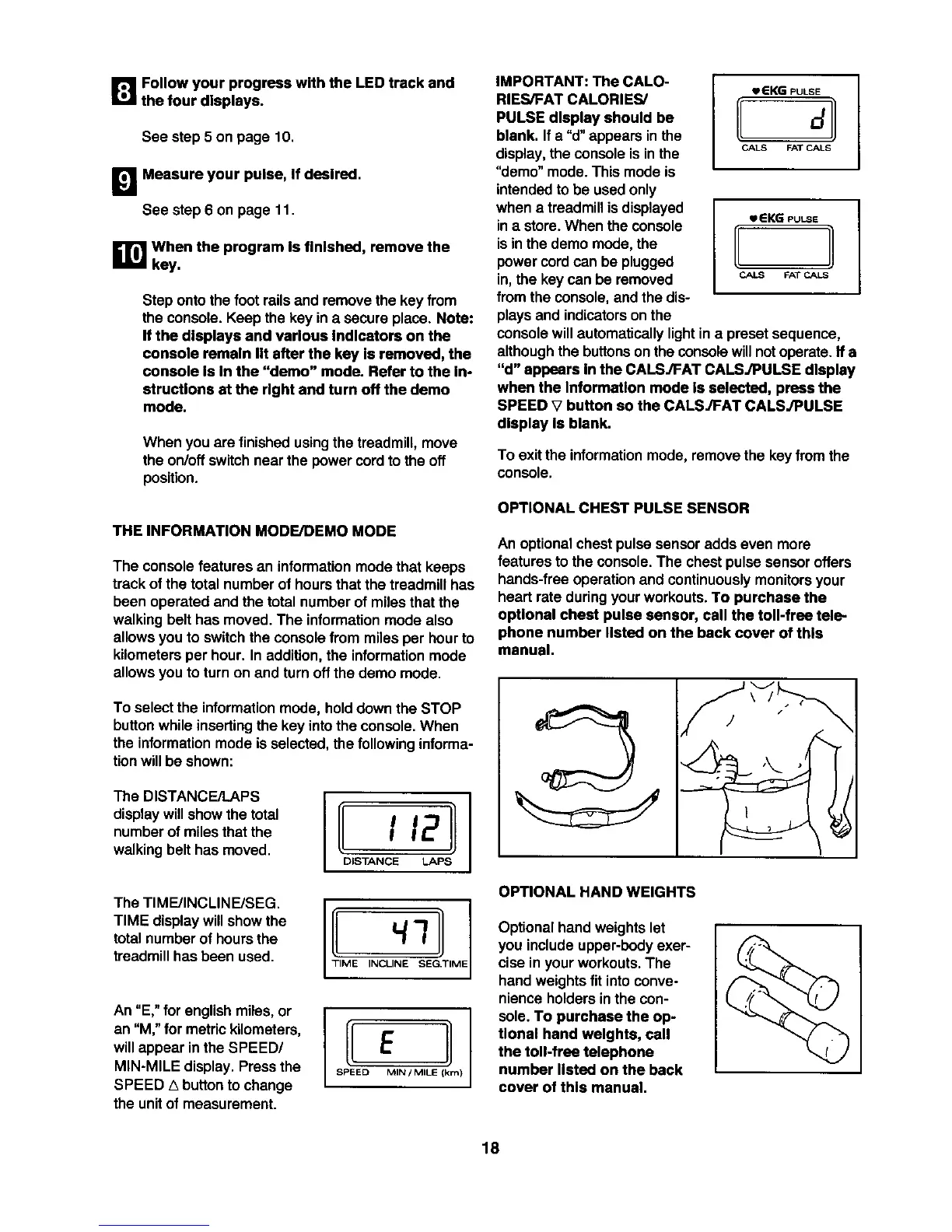
To select the informationmode, holddown the STOP
buttonwhile insertingthe key intothe console. When
the informationmode is selected,the followinginforma-
tionwillbe shown:
The DISTANCE/LAPS
display will showthe total
number of miles that the
walking belt has moved.
If2U
'DISTANCE LAPS
The TIME/INCLINE/SEG.
TIME displaywillshow the
totalnumber ofhoursthe
treadmillhas been used.
An "E," for englishmiles,or
an "M," for metrickilometers,
willappear inthe SPEED/
MIN-MILE display. Press the
SPEED A button to change
the unitof measurement.
TIME INCLINE SEG.TIME
E
SPEED k41N / MILLE (kin)
IMPORTANT: The CALO-
_EKG PULSE
RIES/FATdlsplayCALORIES/ -- 1
PULSE should be ¢-_
blank. If a "d"appears inthe
display,the consoleis in the CALS FATCALS
"demo" mode. This modeis
intendedtobe used only
when a treadmillisdisplayed
ina store. When the console _ BEKI_PULSE
isinthe demo mode, the H
power cordcan be plugged
in,the key can be removed _ FATCALS
fromthe console,and the dis-
playsand indicatorsonthe
consolewill automatically lightin a preset sequence,
althoughthe buttonson the console willnotoperate. Ifa
"d" appears in the CALSJFAT CALSJPULSE display
when the Information mode is selected, press the
SPEED V button so the CALSJFAT CALS./PULSE
display Is blank.
To exitthe informationmode, remove the key fromthe
console.
OPTIONAL CHEST PULSE SENSOR
An optionalchestpulse sensoradds even more
features to the console.The chest pulse sensoroffers
hands-freeoperationand continuouslymonitorsyour
heart rate duringyour workouts.To purchase the
optional chest pulse sensor, call the toll-free tele-
phone number listed on the back cover of this
manual.
OPTIONAL HAND WEIGHTS
Optionalhand weights let
you includeupper-bodyexer-
cisein yourworkouts.The
handweightsfit into conve-
nience holdersinthe con-
sole. To purchase the op-
tional hand weights, call
the toll-free telephone
number listed on the back
cover of this manual.
18







 To Next Page