8
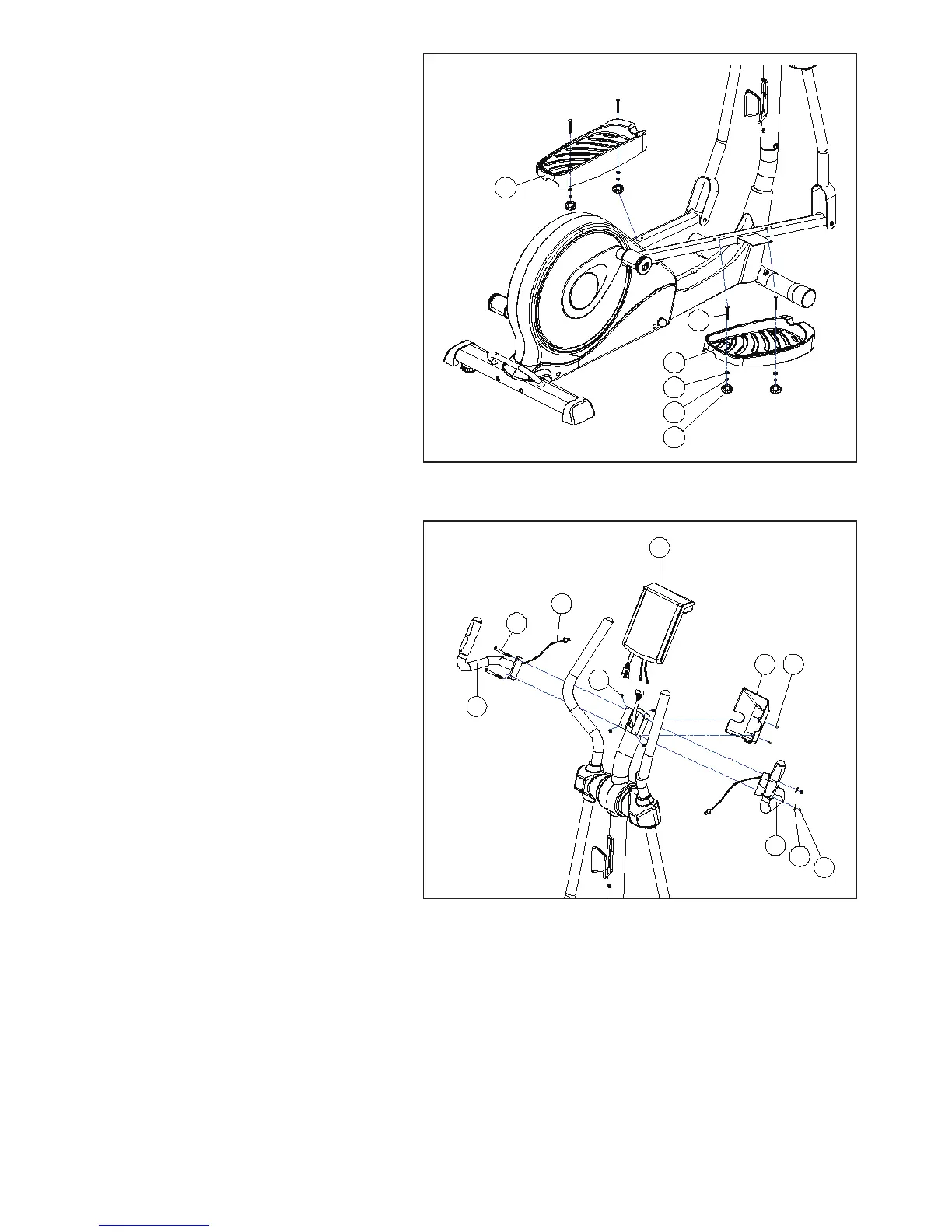
STEP 4
Fasten right footplate (60R) with carriage
bolts (52) from the right footplate support bar
and secure it with washers (57), spring (58)
and knobs (59) tightly. Do the same for the
left pedal.
STEP 5
Secure Handle Bar (23L+R) with 2xM8Allen
Bolt (3),Curved washer (13) and Nut(22).
Connect the upper computer cable (31)
and the computer (1). Sit the computer (1)
onto its bracket and secure in place using
the 4 screws(2) previously removed.
Inset hand pulse cable (9) into the hole on
the back of the computer (1)
Now your machine is ready for use.
4 5
1
23R
23L
9
2
3
13
22


 To Next Page
 Loading...