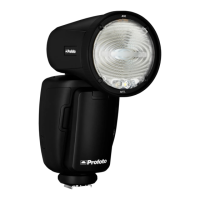
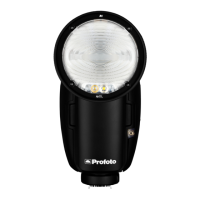
A1 AirTTL
12
www.profoto.com
On-camera use in TTL mode
1. Slide the hot shoe connector [7] on the A1 into the hot shoe of the
camera. Turn the locking mechanism to secure.
2. Switch on the A1.
3. Turn the dial [13] clockwise to unlock.
4. Use the mode switch [10] to select TTL mode.
5. Take an image with the camera and the flash will adjust its power
to get a correct exposure.
6. Use the dial [13] to adjust the flash exposure compensation.
This can also be done in camera by changing the flash exposure
compensation.
TIP: You can at all time switch to manual mode and keep the setting from the last TTL
flash. This is extra helpful when you need to lock the flash exposure and keep it constant.
Note:
TTL is only available in group A-C and group D-F are always manual mode, even if switch
[10] is set to TTL mode.
On-camera use in manual mode
1. Follow step 1-3 above
2. Use the mode switch [10] to select MAN (Manual) mode.
3. Take an image to check the exposure or use the test button [12]
and light meter to measure the exposure.
4. Use the dial [13] to adjust the light output to your preferences.
TIP: To improve efficiency, use TTL for first shot and then switch to manual to lock the
flash exposure. By doing this you get correct exposure quickly and then you can fine
tune flash exposure in manual mode.


 To Next Page