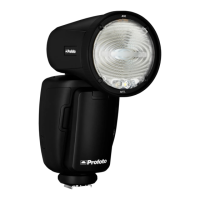
A1 AirTTL
13
www.profoto.com
Off-camera use
This describes how to operate an A1 unit off-camera and with an A1 unit
on camera as transmitting unit. When A1 is used off-camera together
with an Air Remote on camera, please see instruction manual for Air
Remote how to adjust the flash from on-camera position.
1. Switch on the A1.
2. Turn the dial [13] clockwise to unlock.
3. Turn on Air and select the same radio channel on the A1 unit as on
the transmitting unit on the camera.
4. Select a group for the A1 flash.
5. Take an image to check the exposure or use the test button [12]
and light meter to measure the exposure in manual mode.
6. Adjust overall flash exposure compensation with dial [13] or in
camera menu.
7. To adjust an individual light, select the group on the group
buttons [11] you like to adjust on the transmitting unit and adjust
energy by rotating the dial [13]. This can both be done in TTL- and
manual mode.
8. In manual mode, the energy setting can also be done on each
unit individually.
Note:
When A1 is used as off-camera unit, the TTL/MAN switch (10) will be overridden.
Selecting TTL or manual is used on the trigger unit on camera.


 To Next Page