A1 AirTTL
18
www.profoto.com
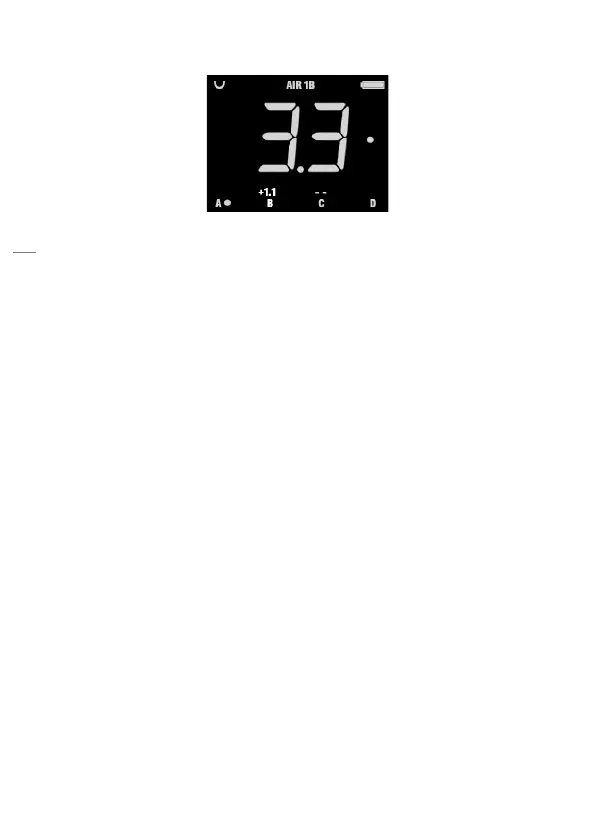
Display view in MAN mode
Example of Display [9] settings in MAN mode operation
The figure shows an example of the display view in MAN mode when:
• AIR is activated and channel 1 is selected. The A1 flash unit is set
to belong to group B.
• The energy for the A1 flash is set to 3.3.
• The A1 modeling light is turned on.
• Group B is selected to be adjusted and the energy has been
changed with +1.1 f-stop.
• Lights in group C are turned off
• The modeling light is turned on in group A and on A1 flash unit.
Modeling light
To turn on the modeling light on A1, press MODEL button [15].
To turn on modeling light on a specific group, first select group A, B, C
or D and then press MODEL button [15].
When the A1 modeling light is on, a white dot is displayed to the right on
the display and/or on the different groups.


 To Next Page