EV Smart Charge
Points Regulations
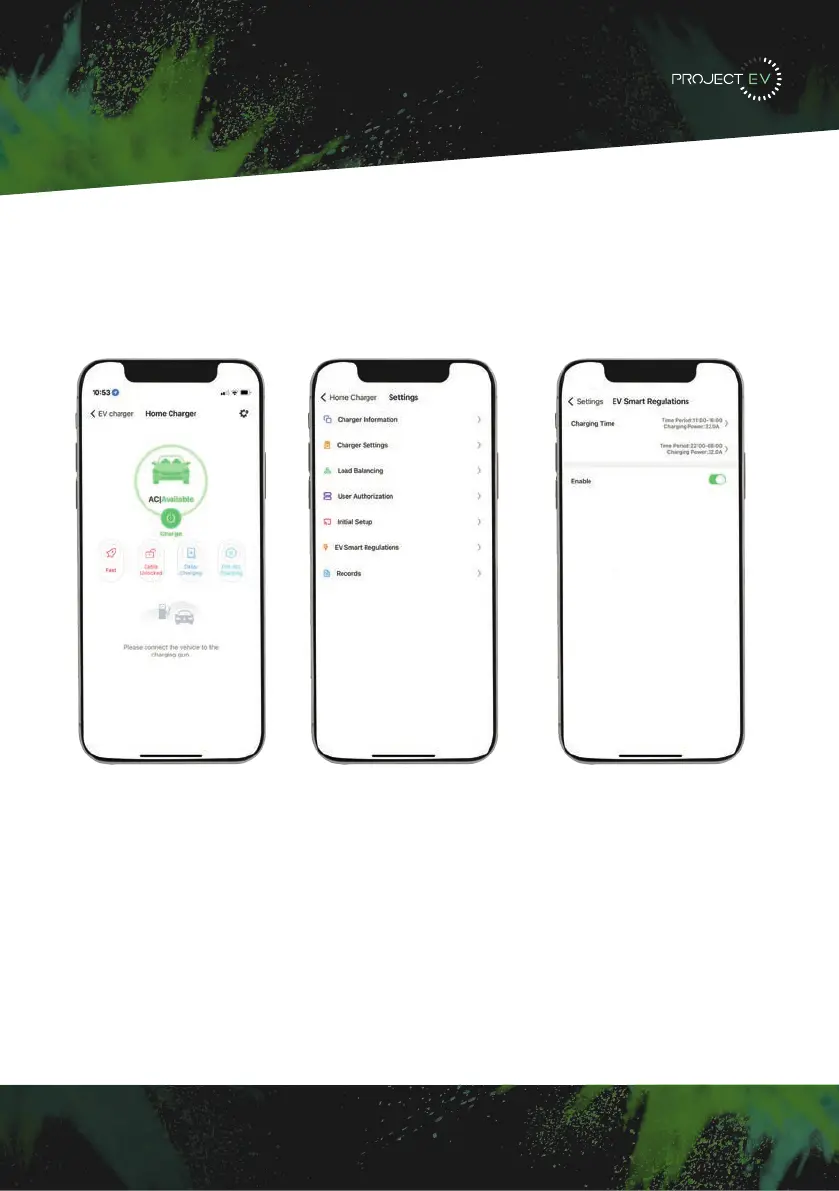
How to opt out of the peak charging hours
To opt out, there are two ways to do this. The first way is to plug into the unit with a laptop
and change setting 22 + 47 to 0. This will disable the pause in charging in peak hours. The
second way is once the unit is available on the app, go into the settings, into EV smart
regulations and select the slider to the left.
28


 To Next Page