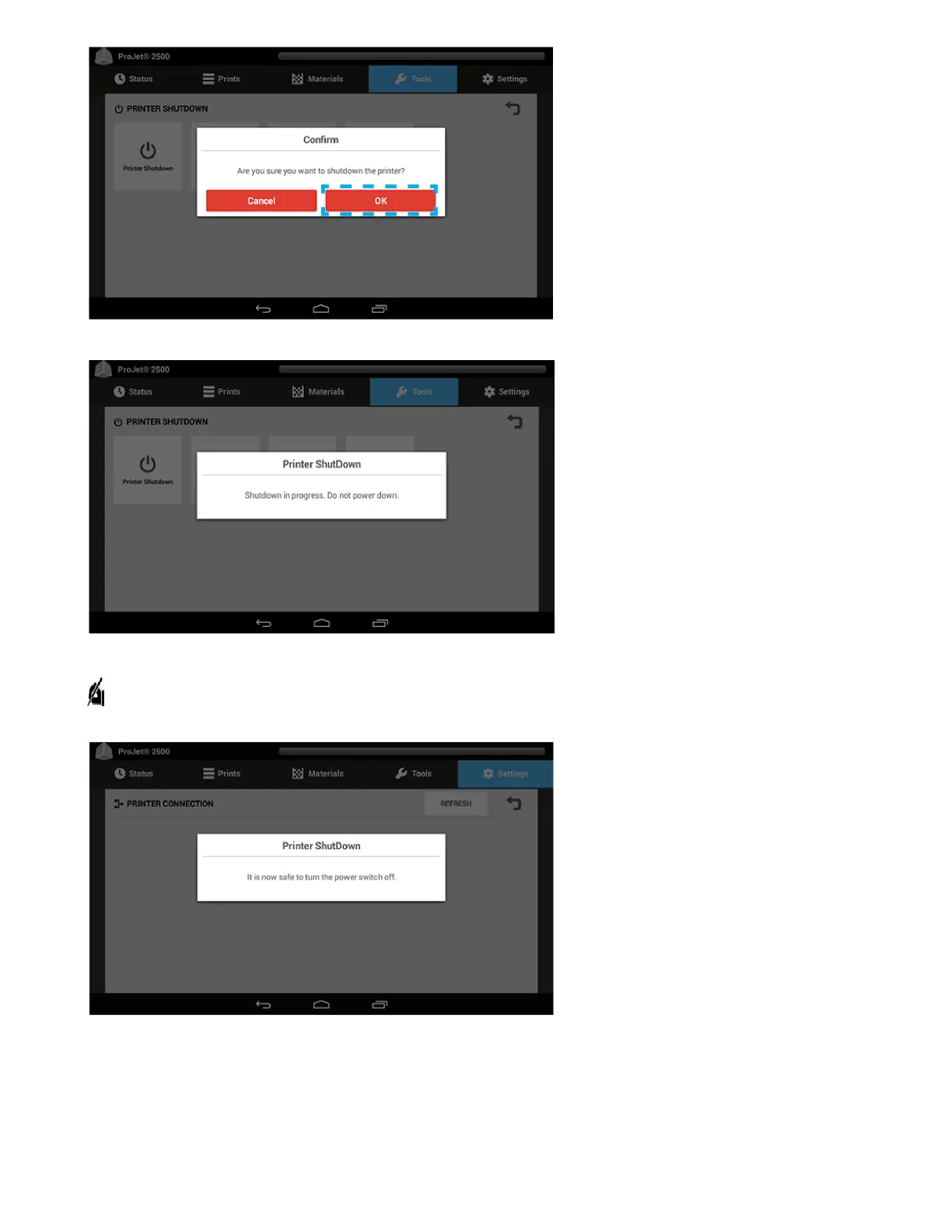
. The Printer Shutdownscreen will appear next. This lets the userknow that the printer is shutting down and not to take any action.
7. A message will then come up that states it is now safe to turn thepower switch off. Turn off the printer switch on the back of the printer.
NOTE: Unless the printer will be idle for an excessively long time (>60 days) it is not necessary to shut it down. Shutting down the printer will
cause longer wait times for warming, because it is warming from a cold state.



 To Next Page