Shutting Down Printer
SHUTTING DOWN PRINTER
NOTE: Unless the printer will be idle for an excessively long time (more than 60 days) it is not necessary to shut it down. Shutting down the print
wait times for warming, because it is warming from a cold state.
1. Verify that the printer is not building.
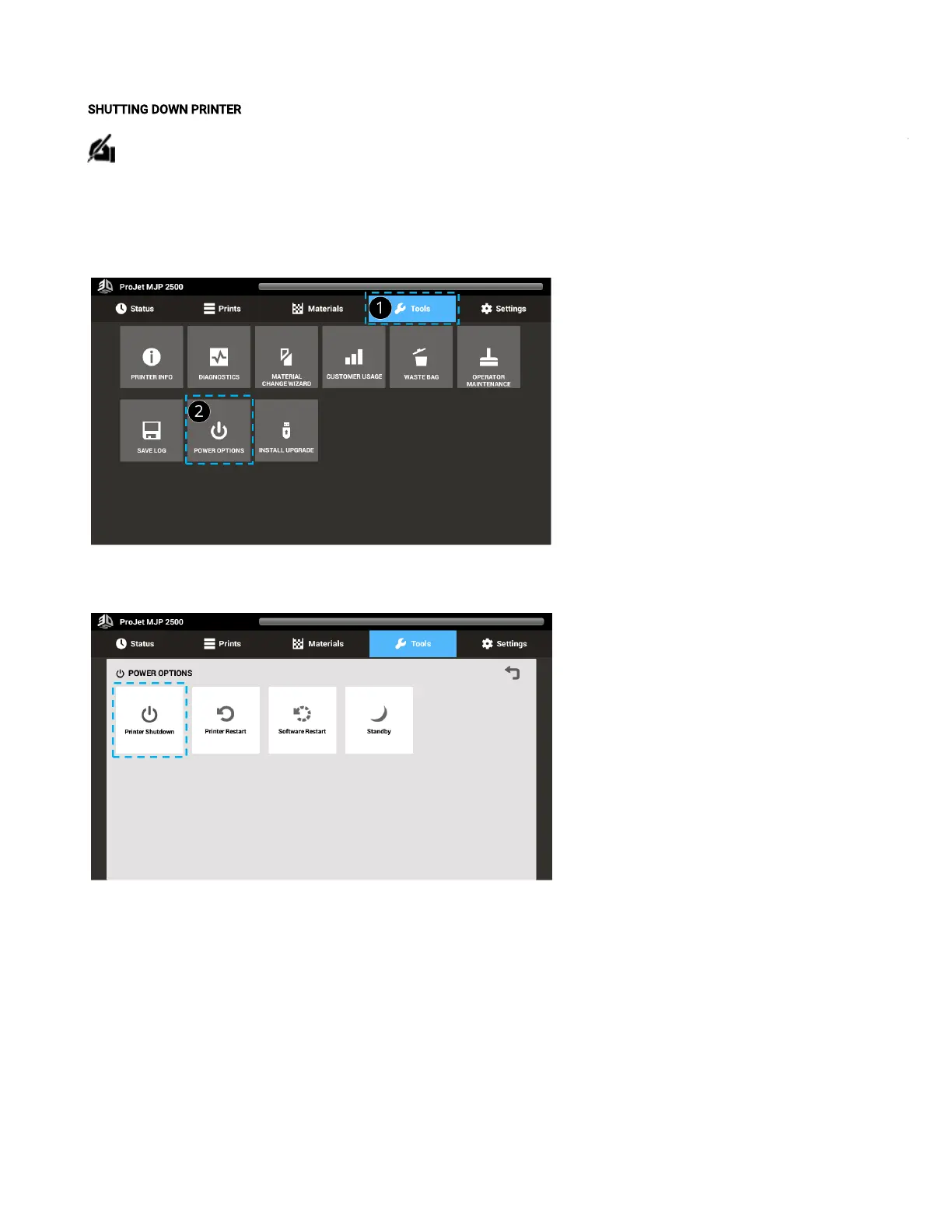
2. Select Tools(1) from the top tool bar.
3. Select Shutdown(2) on the ToolsMenu screen.
4. Next select Printer Shutdown and click.
5. The next message that pops up asks if you are sure you wantto shutdown the printer. Select OK.



 To Next Page