10
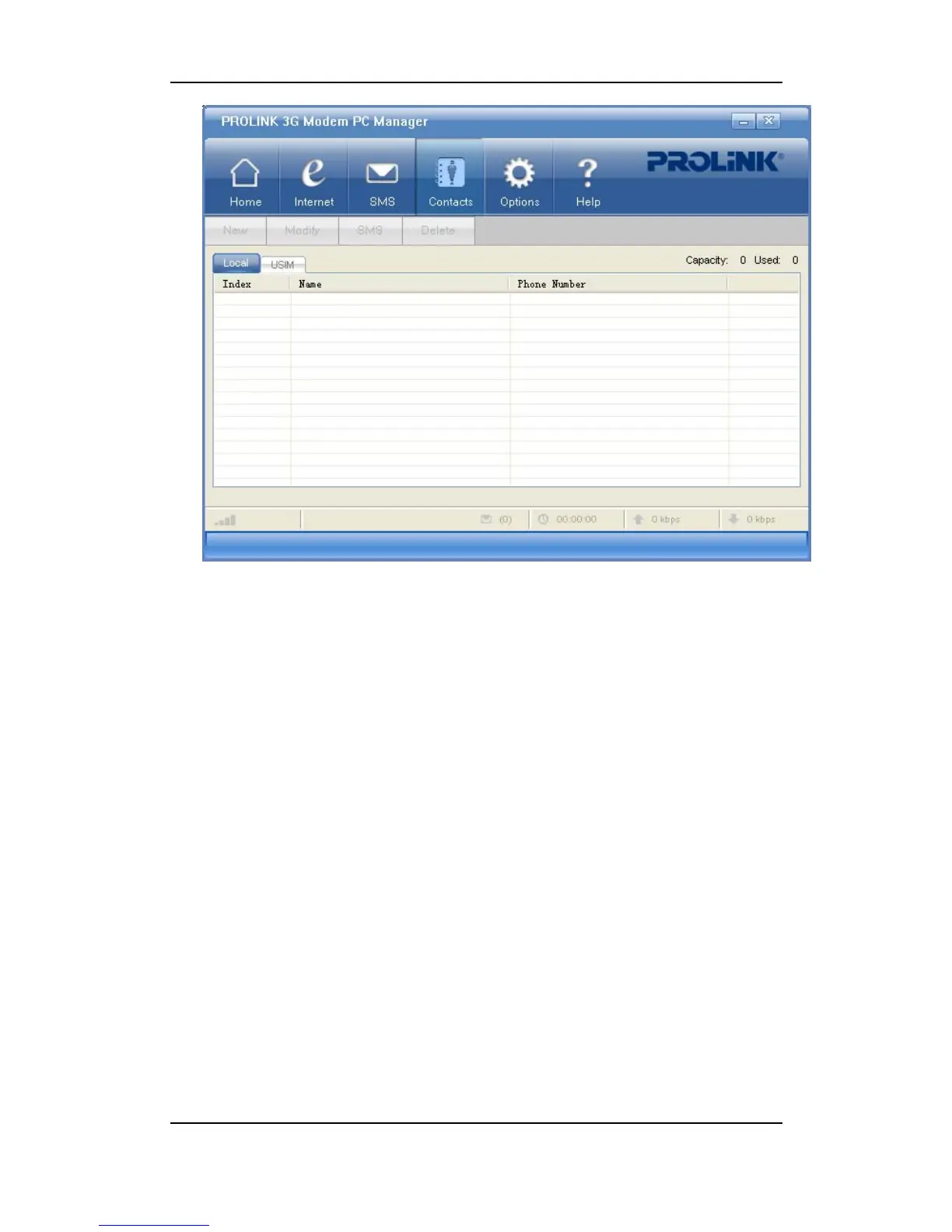
• Click on Name or Phone Number to sort either by name or by phone number.
• On the upper right corner shows the total capacity and the used amount. For the USIM the
total capacity varies with different USIM cards.
Add a new contact
1) Select “Contacts”;
2) Click on “New”;
3) Enter the name and phone number;
4) Click on “OK” to save.
Modify a contact
1) Select “Contacts”;
2) Choose the contact in the list and click on “Modify”, or double-click the entry;
3) Edit the name and phone number;
4) Click on “OK” to save.
Send a message to contact
1) Select “Contacts”;



 To Next Page