8
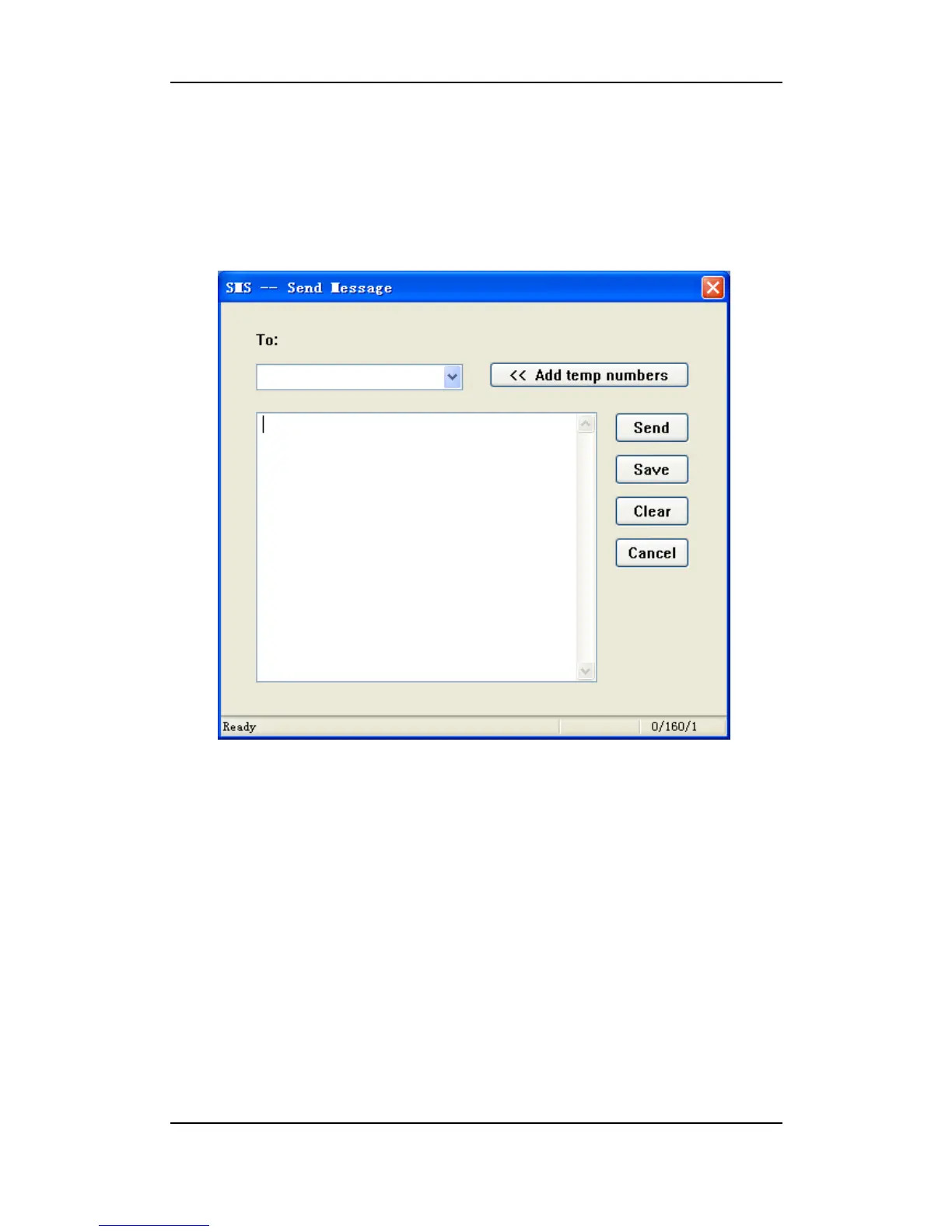
Edit and send SMS
1) Select the "SMS" view to open the "Inbox", "Outbox" or "Draft";
2) Click on “New”;
3) Edit your short message and enter the phone number, click on “Send”.
In the SMS editing window,
• Select "Add temp numbers" after editing a phone number, the phone number will be added
into the dropdown list.
• Select the dropdown list to open the phone book and choose a contact.
• Click on “Save” to store the message in the "Draft".
• Click on “Clear” to blank all the editing.
• Click on “Cancel” to revoke and close the window.
Reply SMS
1) Select “SMS” to open the “Inbox”
2) Choose the message and click on “Reply”



 To Next Page