4
Data Link
You can establish a dialup data link over GSM/WCDMA via the data card.
The dialup data link requires the coverage of GSM, GPRS, EDGE or WCDMA. In each of
the link, the data card will be connected to a specific phone number.
The data card support HSDPA up to 3.6 Mbps and WCDMA 384kbps.
Establishing a data link
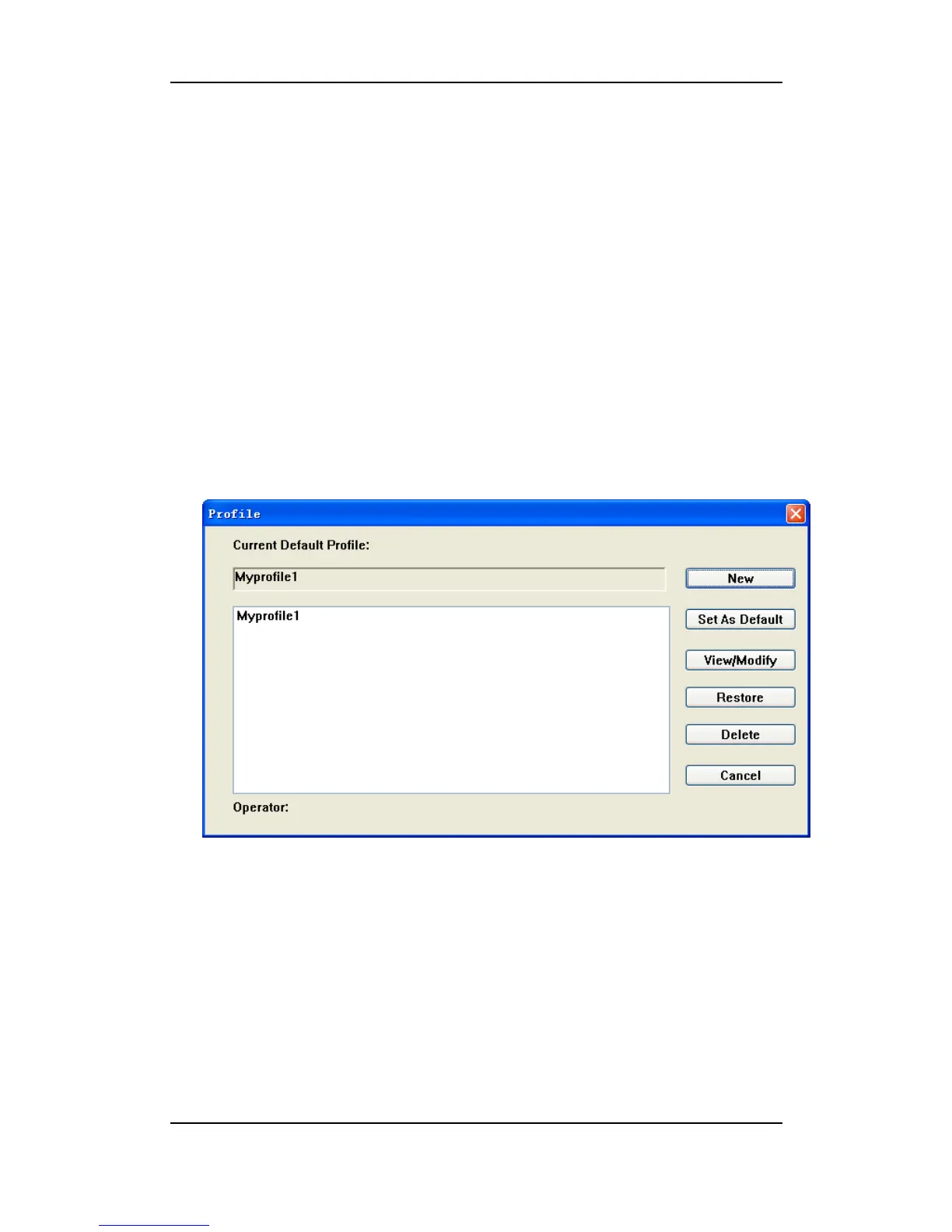
1) Select More Profiles,
2) Choose a profile in the list, and then click on “Set As Default”,
3) Click on the button “Connect”, to establish a data link.
Disconnect a data link
To disconnect, Click on the button “Disconnect”.



 To Next Page