3
The main window
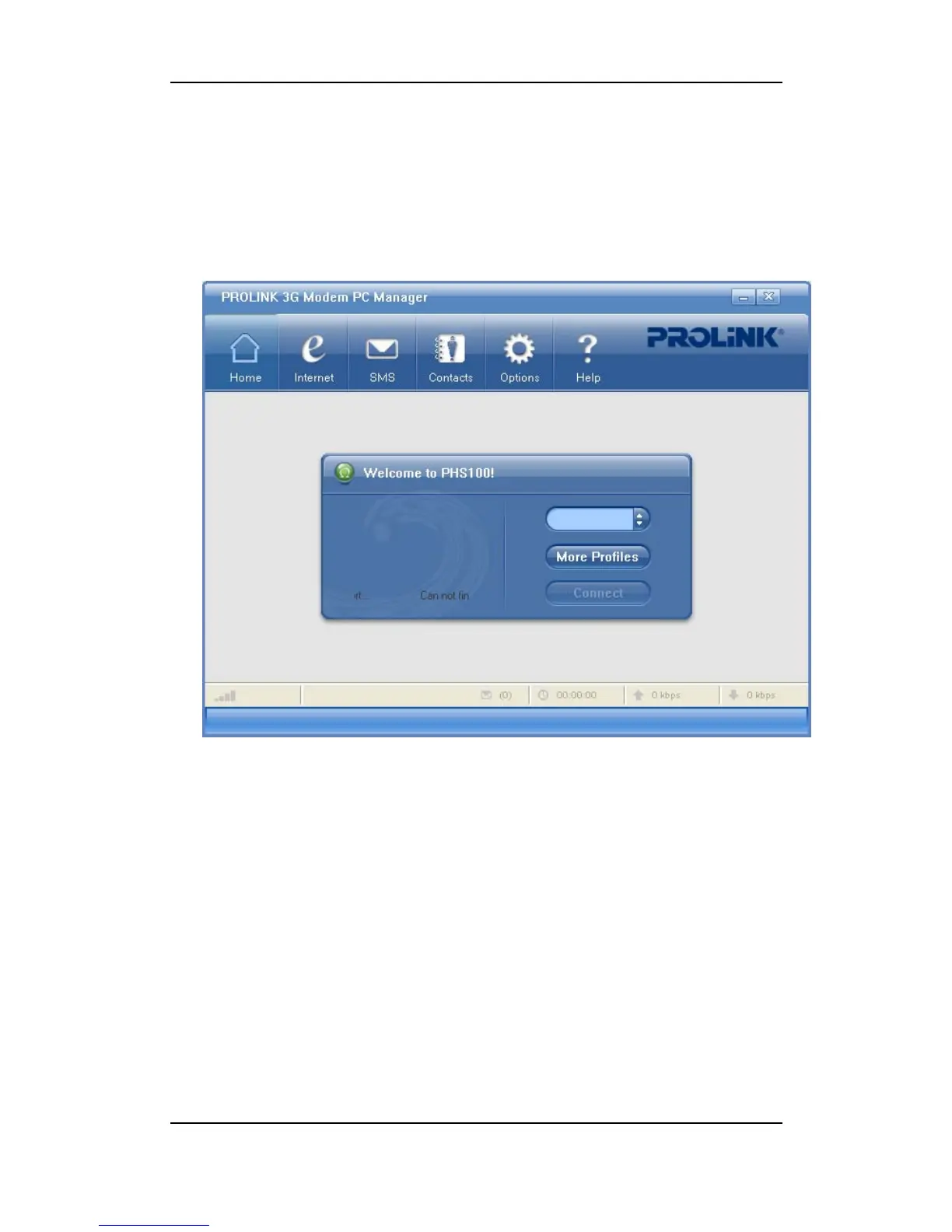
Here’s the main window of data card’s PROLINK HSDPA Modem PC Manager:
The display of data card’s status, where items included are status bar, carrier’s logo, network in
use, number of unread messages, network connecting time and forward/reverse rate. If there’s no
USIM card inserted, a message “No USIM Card!” shows.
Main menu, including Home, Internet, SMS, Contacts, Options, Help. Make proper
configuration to functions and the data card.



 To Next Page