20
Appendix
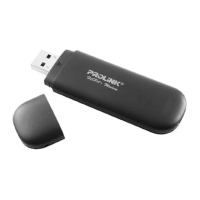
Light Indications of data card
Indicator Meaning
red
If a network is not being found after startup, or no USIM card,
or line dropped (disconnected) in session
Magenta
When GSM is found or attaches to GPRS
blue
When EDGE
white
When DATA CALL has connected with network
cyan
When in receiving SMS
Note: For incoming SMS, it flashes 3 times and goes back to the
original color.
green
When attaches to HSDPA
Yellow
When WCDMA is found, and not attaches to HSDPA
Others
Red light keeps
flashing
The temperature of network interface card is over 60 Celsius degree



 To Previous Page