7
coming as the window is minimized, a message box on the system bar will remind you there are
new incoming messages.
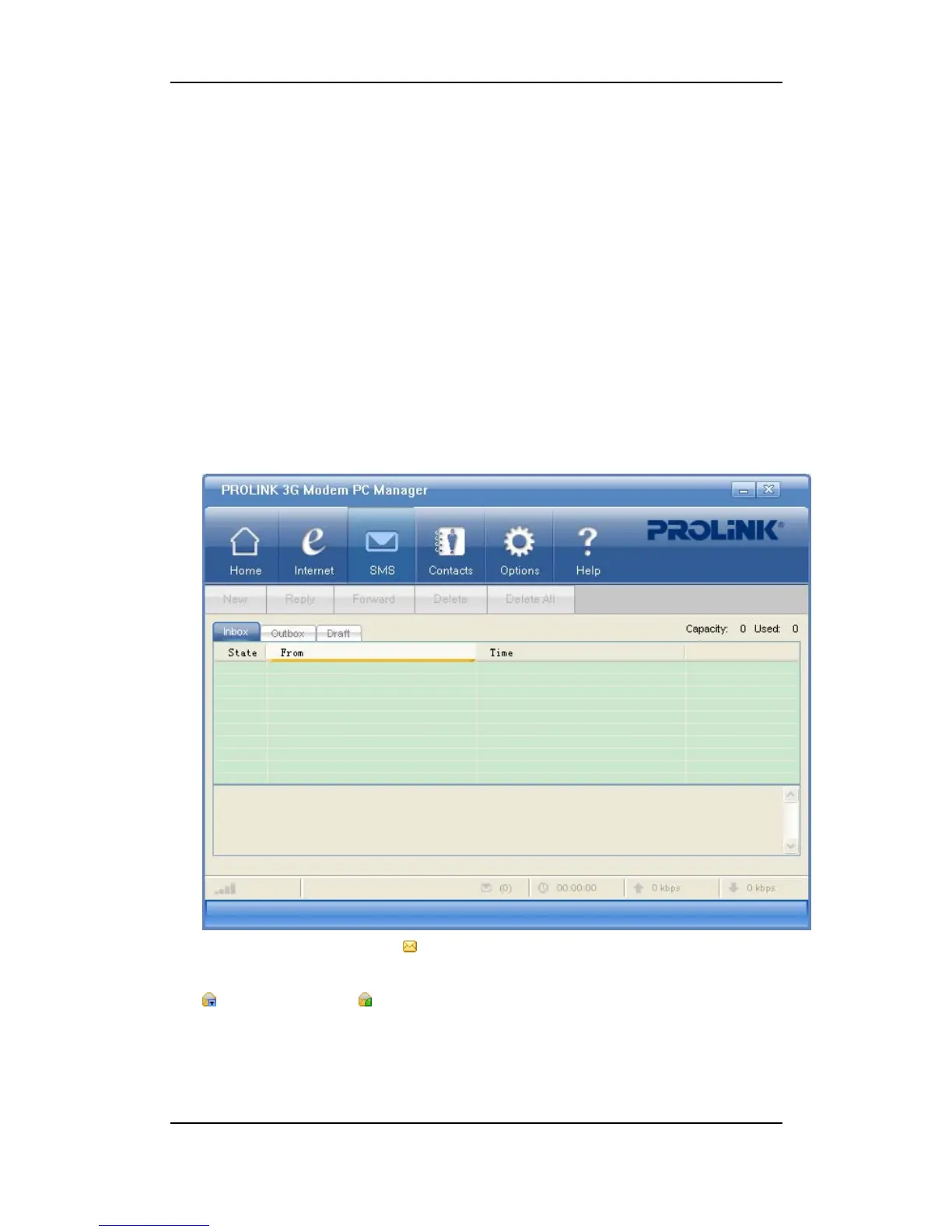
In the SMS window, you may:
y Read,
y Edit and send,
y View the sent,
y Reply or forward,
y Delete SMS.
Read New SMS
1) Select “SMS” to open the “Inbox”;
2) Double-click an unread SMS(
)to view.
- SMS stored in local; - SMS stored in the USIM card.
On the upper right corner shows the total capacity (of both Local and the USIM card) and the
used amount. The total capacity varies with different USIM cards.
Click on "From" or "To" to sort the list by name or phone number; or click on "Time" to sort
list by receiving or sending time.



 To Next Page