17
1) In the main window, select “OptionsÆFlow Warning”;
2) In the dropdown list “First warning point (%)”, select one for the first-time notification;
3) In the dropdown list “Second warning point (%):, select one for the second-time
notification;
4) Click on “Apply” to save.
USSD
To view USSD, select "Options-->USSD" in the main window.
Your USIM card may contain the USSD function.
1) In the main window, select "Options'USSD";
2) Input the USSD command. For details, please check with your service provider;
3) Click on "Send" to send the USSD command then the USSD message will be displayed.
Version
To view versions, select Options > Version in the main window.
Help Topics
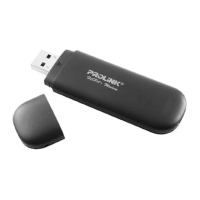
Through Help Topics, you can learn the details of each menu in PROLINK HSDPA Modem PC
Manager for a quick understanding of functions of data card.
To read, select “Help” in the main window.
Safety Indication
Remove the data card
1) Close PROLINK HSDPA Modem PC Manager;



 To Next Page