EN 15
3.5. Advanced Network
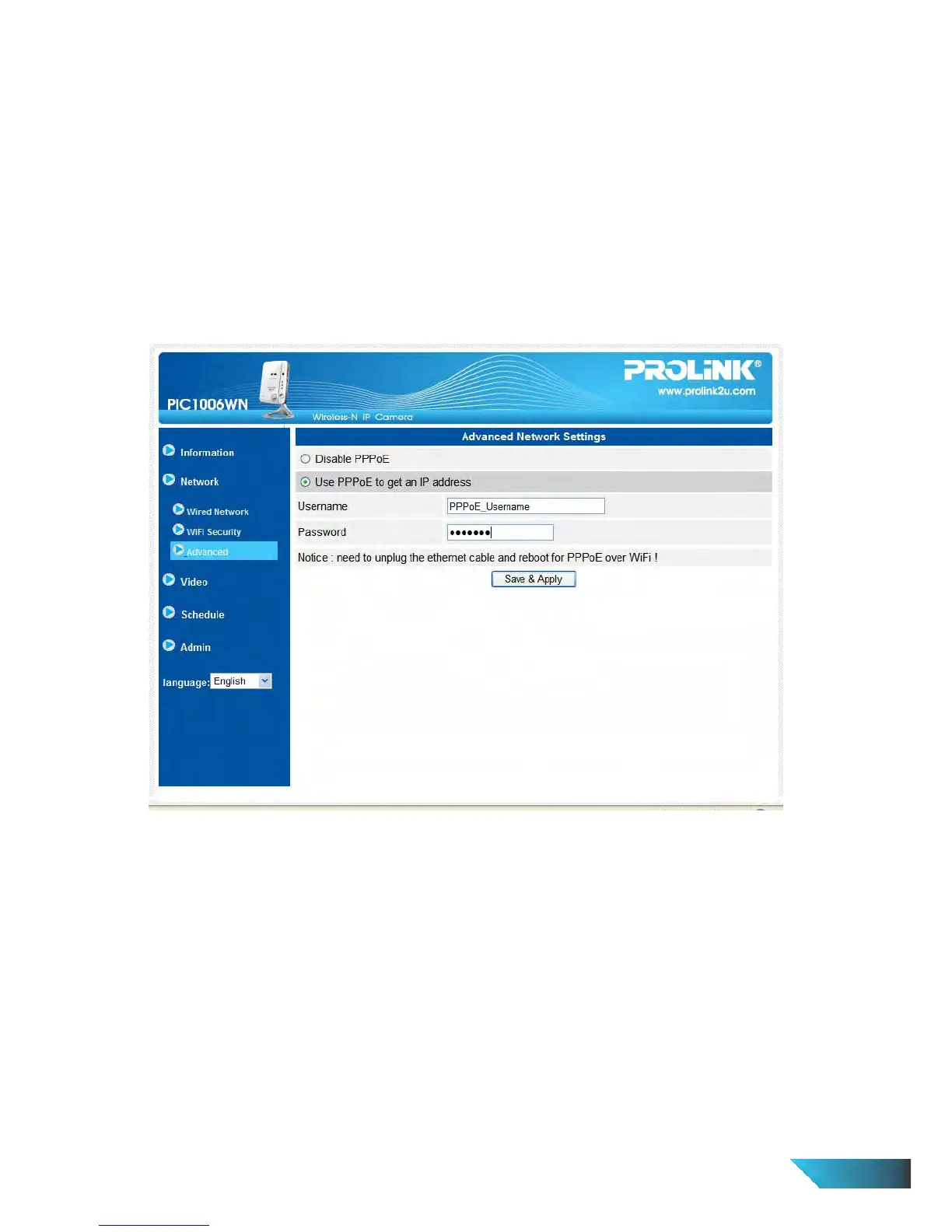
In some special situation, your network environment only provides PPPoE connection (ADSL service); there is
no NAT/router available. You will then need to set the PPPoE settings in the “Advanced Network” page. Only
the PPPoE username and password are needed to let PPPoE work. After the “Save & Apply” button is pressed,
the PPPoE function will work immediately. You can check the “Registration status” in the “Information” page to
see if the IP Camera is registered using the PPPoE connection.
Please be noticed that the DHCP or static IP settings in the “Network” page can work together with the PPPoE
connection. Only that the PPPoE has higher priority, so, if the PPPoE is working, the IP Camera will use PPPoE
to connect to the Internet.
The default setting is “Disable PPPoE”.
Figure 3-10: Advanced network settings page


 To Next Page