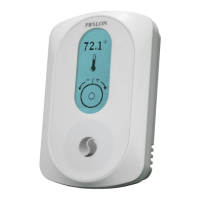
Menu Guide
Section Description Min Max Default Units
1.1) Temp Unit Lets you select between Celsius or
Fahrenheit temperature display.
-- Celsius-
- - Internal -
1.2) Temp
Source
Lets you decide how the zone temperature
is determined:
Internal
•
(Only the onboard thermistor
is used to calculate temperature)
External
•
(The temperature reading is
obtained from an external thermistor
connected to the auxiliary input)
Average
•
(The temperature reading is
obtained from an average of both the
internal thermistors reading and the
reading obtained from the external
thermistor connected to the auxiliary
input. )
NOTE: When an output is set to control a
radiant floor, the external input is
automatically dedicated to slab
temperature sensing.
1.3) Sound This option lets you enable or disable audio
feedback from touchpad interaction.
- - Enabled -
1.4) Backlight Auto: The backlight activates upon any user
interaction with the touchpad, and goes off
after 60 seconds of inactivity.
-- Auto-
On: The backlight is permanently on.
Off: the backlight is permanently off,
regardless of user interaction.
1.5) Language This option changes the display language English
1.6) Restore
Default
Activating this option causes the thermostat
to revert all configuration properties back to
their factory defaults.
-- --
WARNING: This
cannot be undone.
1.7) Reset Causes the thermostat to perform an
electronic reset. All configuration properties
remain saved, but any active overrides are
lost.
-- --
2.1) Device Type The type of thermostat being used. - - - -
10


 To Next Page