Section Description Min Max Default Units
2.2) Software
Vers
The current software version of the
thermostat device type.
-- --
2.3) Hardware
Vers
Physical version of the thermostat. - - - -
2.4) My Address This option lets you set the address of the
thermostat on the network. Each device on
a network must have a different address.
1 127 101 -
2.5) Name The name given to this zone. Can only be
changed using Focus software.
-- --
-15 15 0 °C3.1) Temp Calib This value will be added to the room
temperature reading (regardless of source).
-27 27 0 °F
3.2) Morn
WarmUp Time
The duration that the outputs will be
disabled after receiving a morning warm up
command from the network master, unless
the network master is using a longer period.
0 250 0 min
0.5 15 1 °C4.1) Deadband The deadband between the occupied
heating setpoint and the occupied cooling
setpoint.
0.9 27 1.8 °F
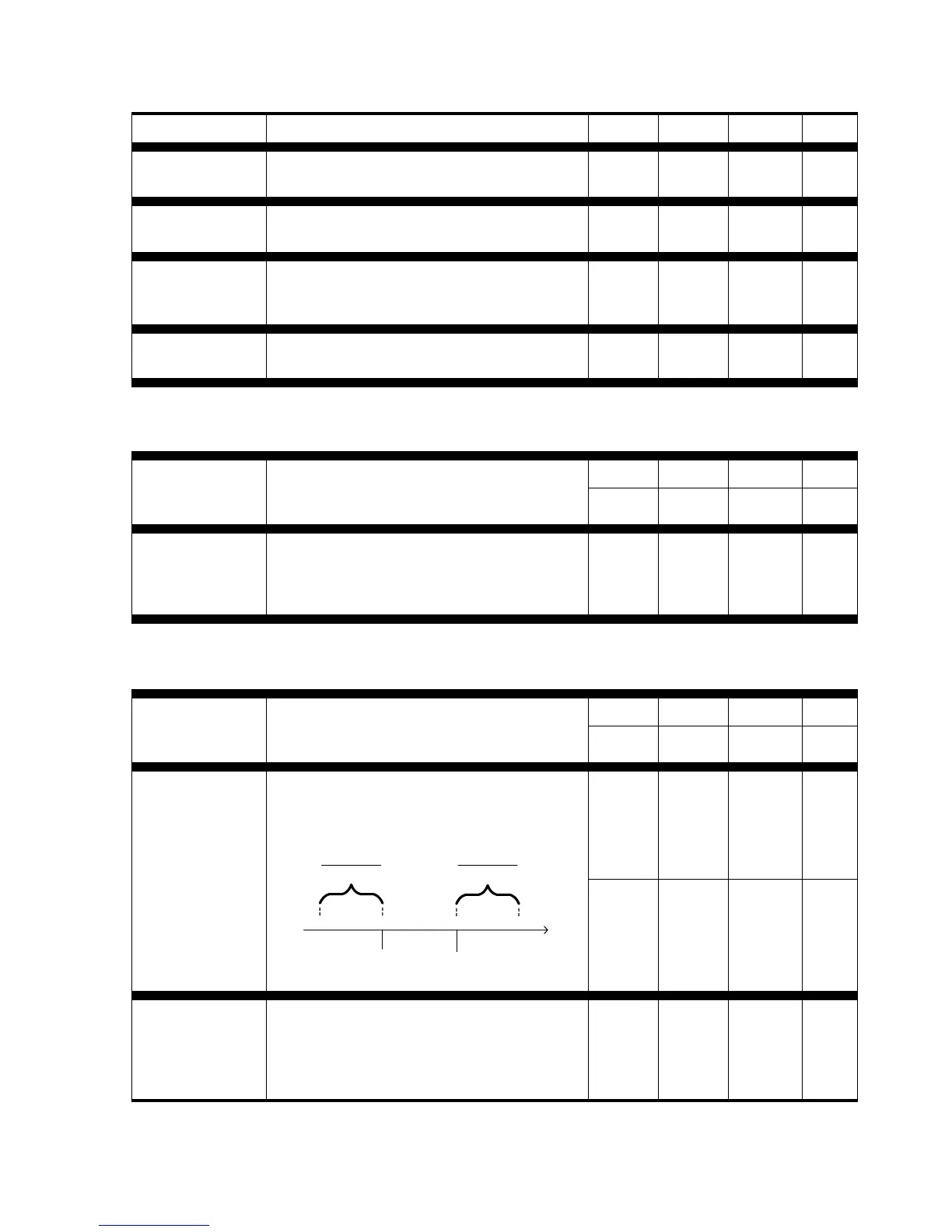
0 10 3 °C4.2) Prop Band Defines the proportional band used to
calculate the proportional component of the
demand. Please refer to the following
image.
Heating
Setpoint
Cooling
Setpoint
°C
0%
100%
0%
100%
Proportional
2
Proportional
2
Deadband
0 18 5.4 °F
4.3) Cool Int Defines the amount of time required for the
cooling integral component of the demand
to equalize the proportional component.
Setting this value to zero removes the
cooling integral component of the demand.
0 120 15 min
11


 To Next Page