53
MARK68AF1001 Rev 2
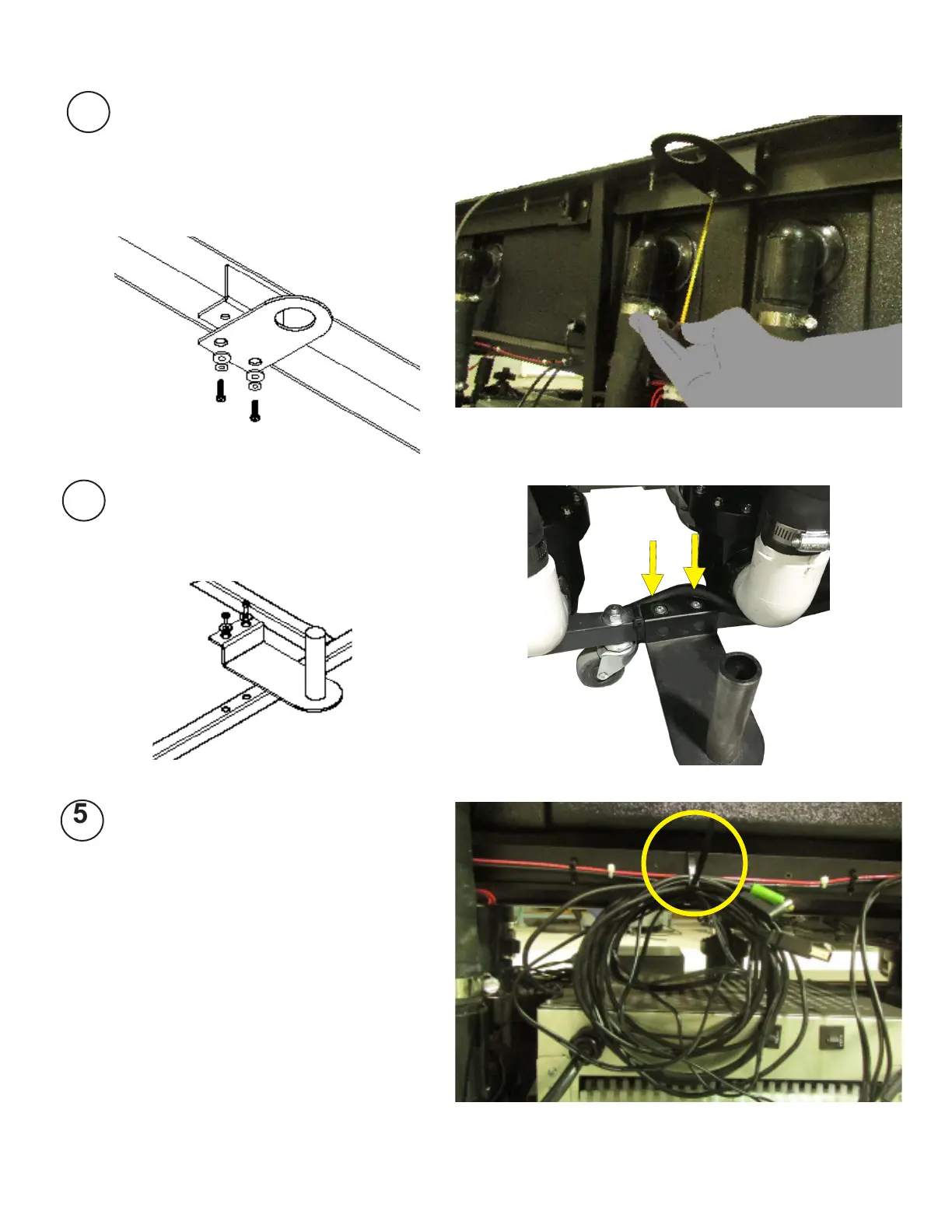
With scissors carefully cut zip
tie holding monitor wires.
Locate holes on the side of the
bottom rail of the frame below
the top bracket and attach base
bracket.
Position the Top Bracket, which is
found on the opposite side of the
unit from the CPU box, by locating
the mounting bracket underneath
the top rail of the frame and attach-
ing to the top bracket.
3
4
Note: Some units
may not contain
power supply box
shown in photo.



 To Next Page