56
MARK68AF1001 Rev 2
12
13
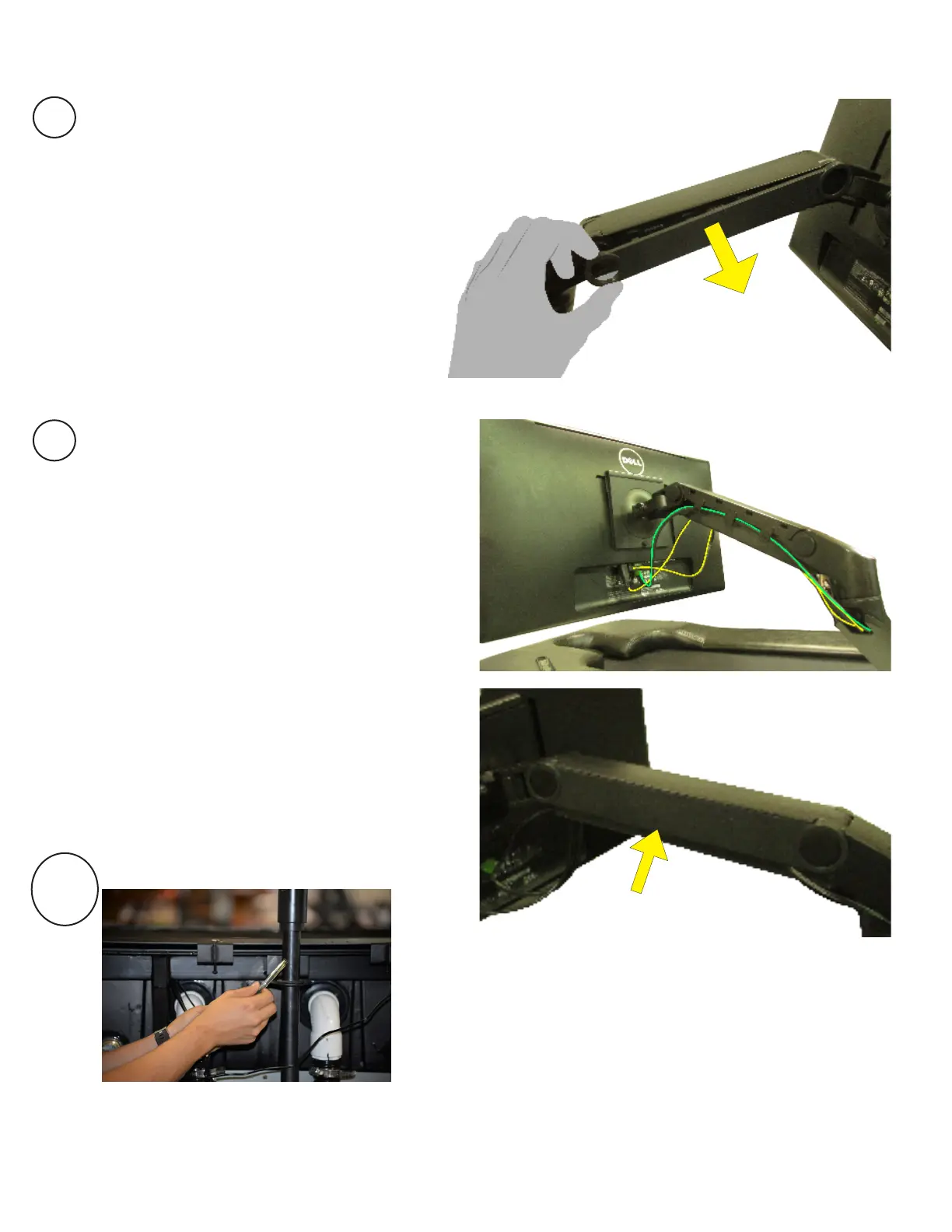
Remove the two side covers on
the upper section of the monitor
arm stand.
Feed wires through the space shown
to the right, make sure the wires are
long enough to plug into monitor. Re-
place the two covers once complete.
13a
Note- In the photo to the left make sure
the air tube goes through the slot in the
skirt and is placed into the pole of the
computer screen.


 To Next Page