RDM0012 Issue 1 AA Page 19 of 35 © Protec Fire Detection PLC 2017
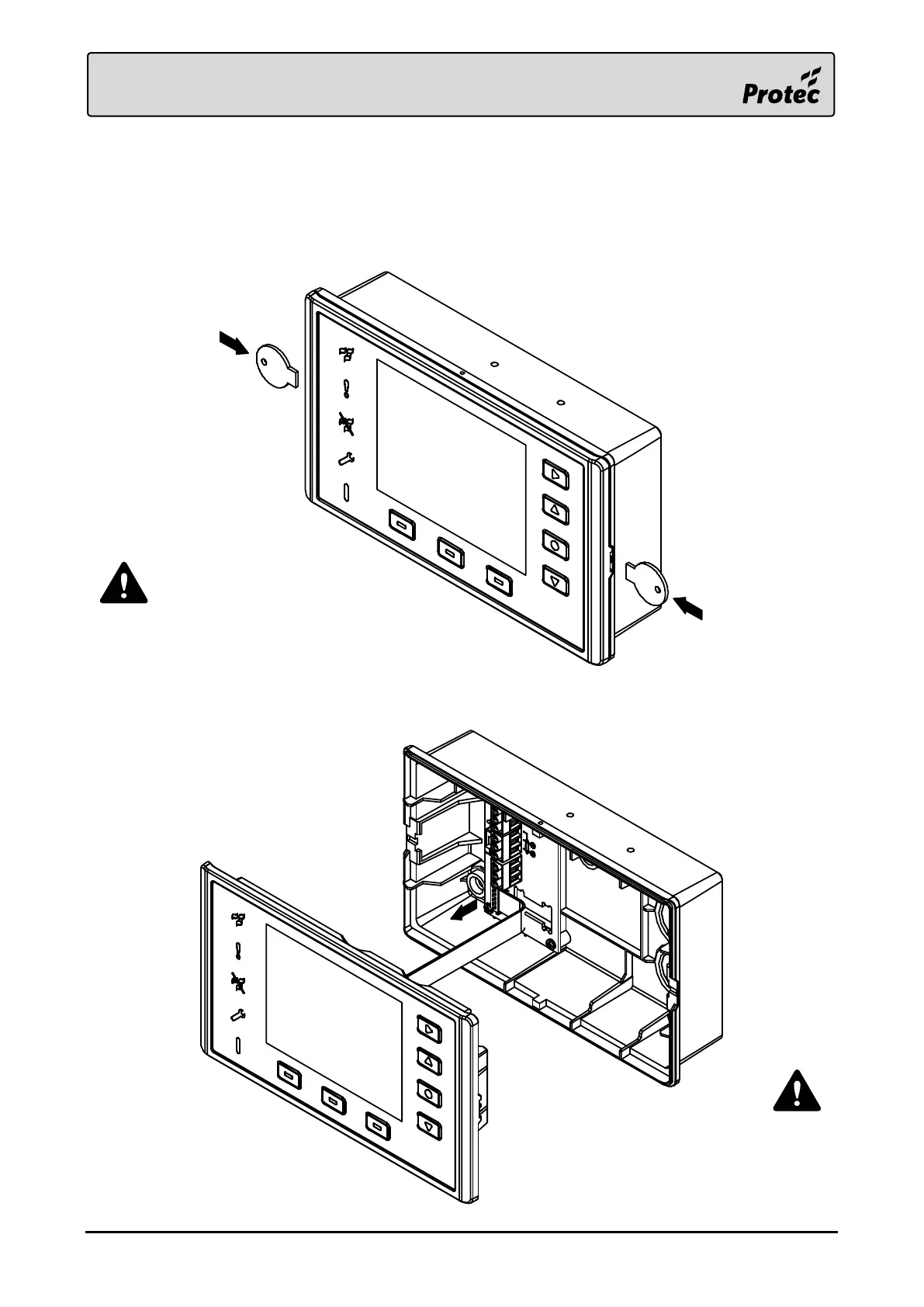
4.2 Front Panel Removal
Carefully push the Opening Tools into the clasps on the sides of the enclosure, an audible click should
be heard when the clasps disengage. Gently pull the assembly out of the back box, whilst being
cautious of the ribbon cable located behind. Carefully pull the ribbon cable, by the connector, from the
terminal board, leaving it connected to the front panel.
Place the front panel in a
safe area, such as the
original packaging, until it
is required.
Ensure both clasps are disengaged before
the front panel is pulled from the back box.
Carefully remove the assembly to avoid
damage to the ribbon cable.



 To Next Page