RDM0012 Issue 1 AA Page 32 of 35 © Protec Fire Detection PLC 2017
8.3 Event Category Enablement
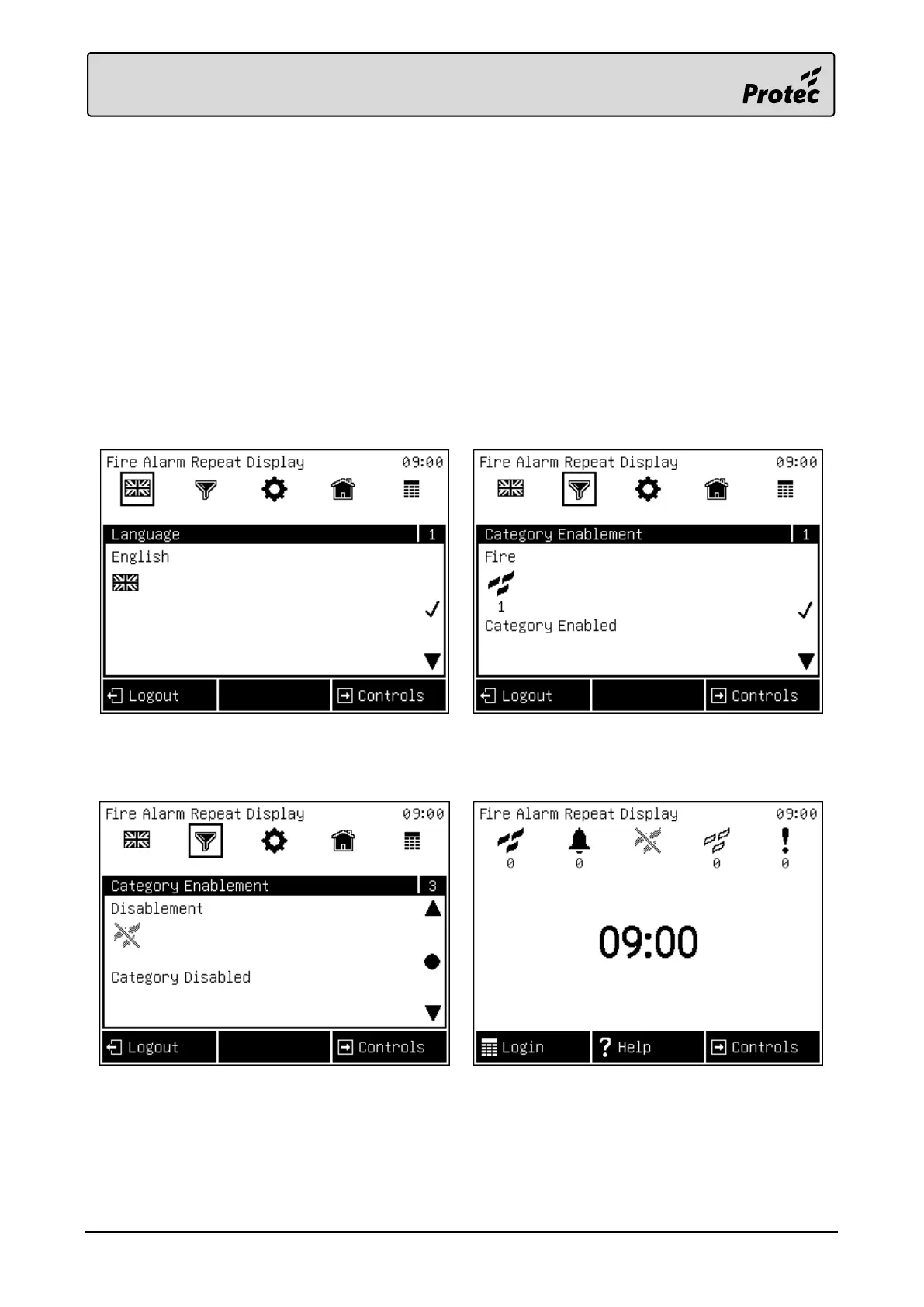
It is possible to prevent certain event categories from displaying on the device. When a category is
disabled the device will not indicate or display any new events of that type.
A. Starting from the beginning of the engineer menu, ‘Language’.
B. Pressing the ‘Next’► button until the ‘Category Enablement’ menu is shown.
C. Use the ‘Up’▲ and ‘Down’▼ buttons to scroll through the event categories. Then press
‘Select’● the enable or disable them.
D. Back in access level 1, the icons of disabled categories will be greyed out to represent the
setting.
E. Note: The device will save the new setting upon exiting the engineer menu.



 To Next Page