RDM0012 Issue 1 AA Page 6 of 35 © Protec Fire Detection PLC 2017
3.4 Protec Stand Alone Repeater Programmer Software Installation
The software executable can be obtained by contacting Protec Fire Detection, or visiting the Protec
website.
3.4.1 Opening the Executable Installer
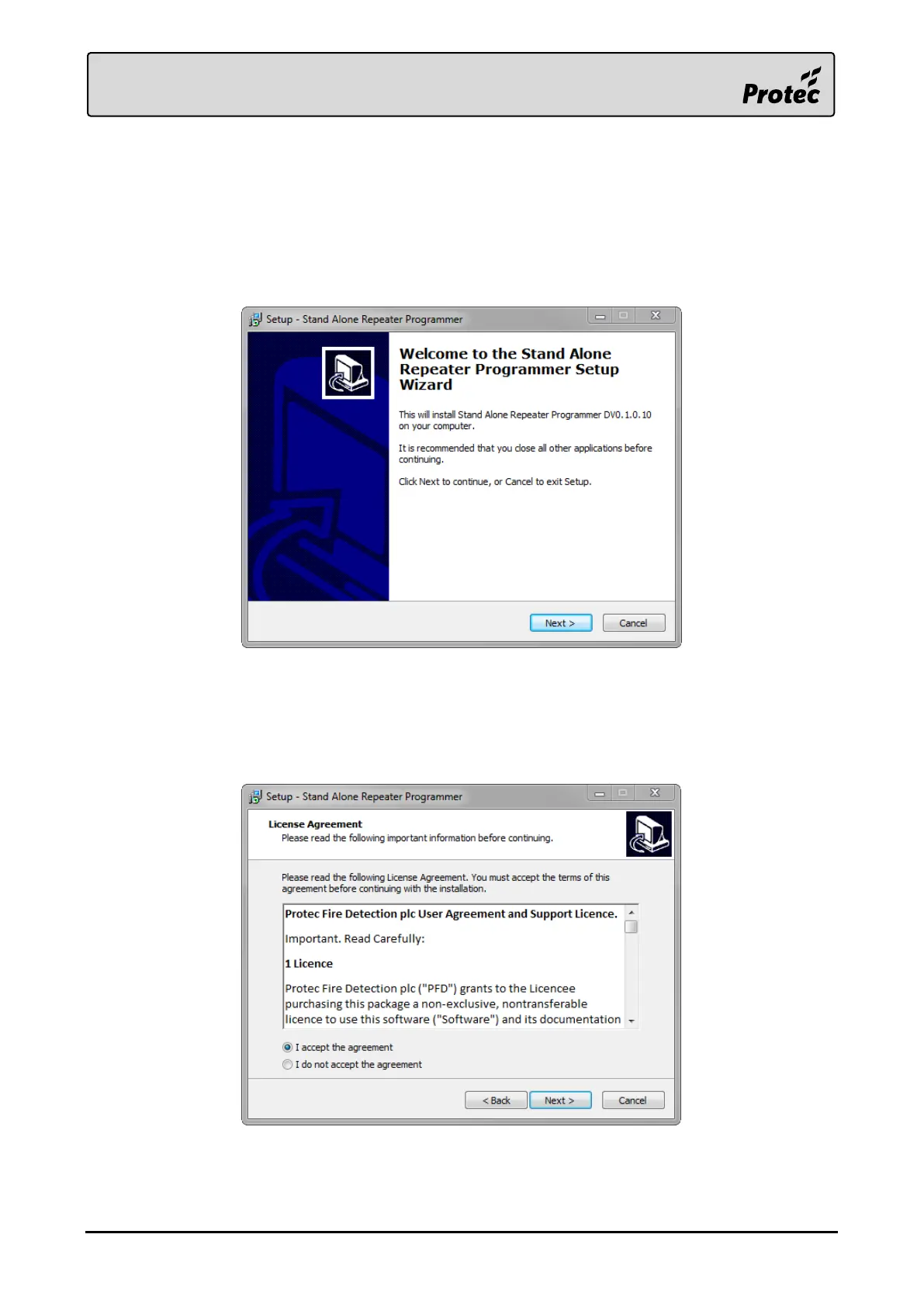
Once the software has been obtained, double-click the executable file to open it.
Press ‘Next >‘ on the resulting window to start the installation.
3.4.2 Licence Agreement
Carefully read the licence agreement before continuing.
When happy with the agreement tick ‘I accept the agreement’ then press ‘Next >‘ to continue.
The installation cannot be completed without accepting this agreement.



 To Next Page