RDM0012 Issue 1 AA Page 9 of 35 © Protec Fire Detection PLC 2017
3.4.6 USB Driver Installation
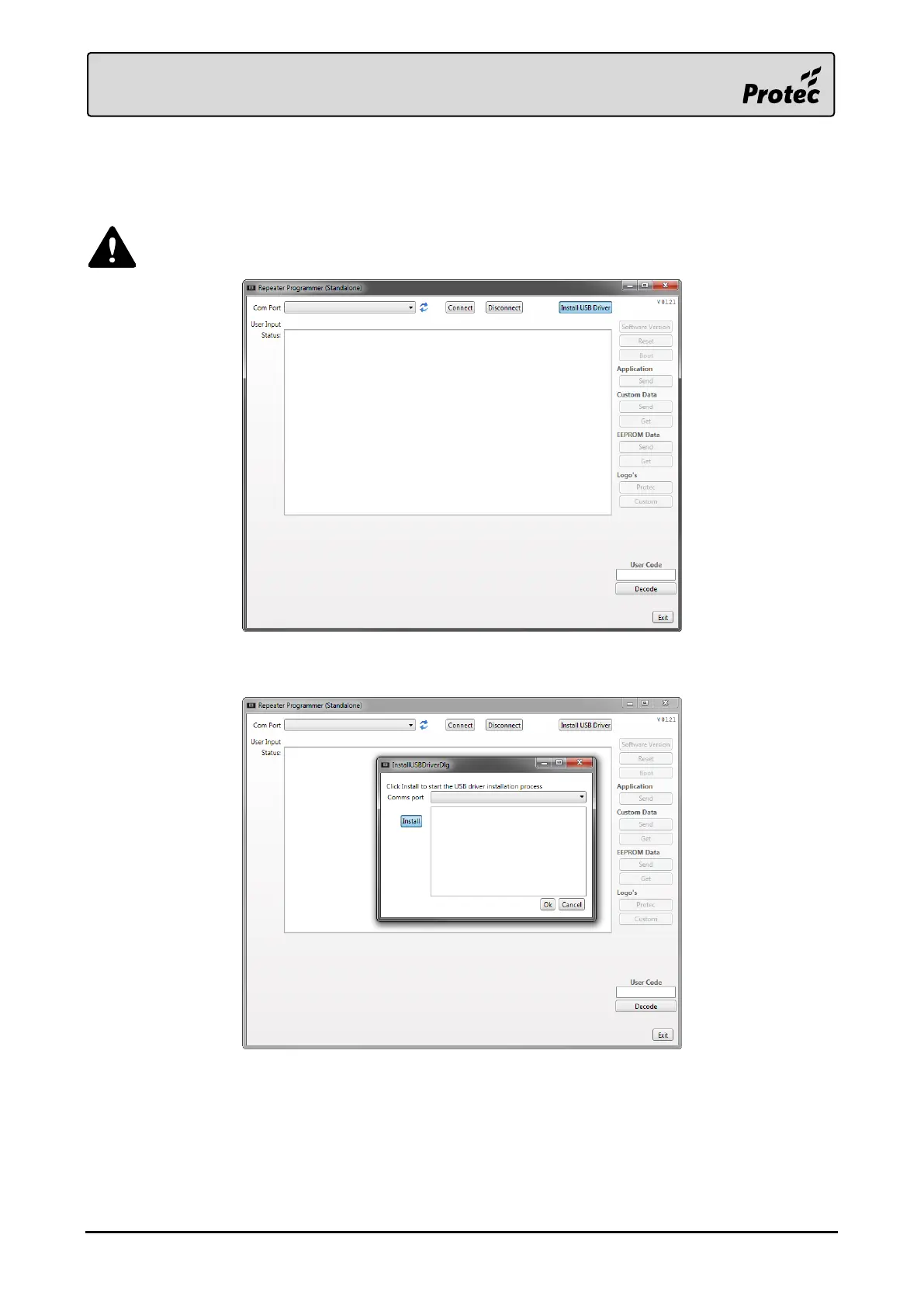
The Stand Alone Repeater Programmer should now be installed and open. It is now required to install
the USB driver needed to communicate with the 6000/LOOP/REPEATER.
Ensure the device is not connected to the PC at this point.
Press ‘Install USB Driver’ in order to open the installation window.
Press ‘Install’ on the new window in order to start the driver installation.
Follow any on-screen prompts and accept any Windows User Account Control messages.



 To Next Page