93-520-20 Issue 3.3 Page 56 of 60 CirrusPro Engineer’s Manual
6.2 Indicating Fault Codes on the Detector Unit
The CirrusPro can pulse the Fault LED to indicate fault code of current Faults or the last fault if there
are no current Faults.
When the unit is in Fault, press and hold the Silence button.
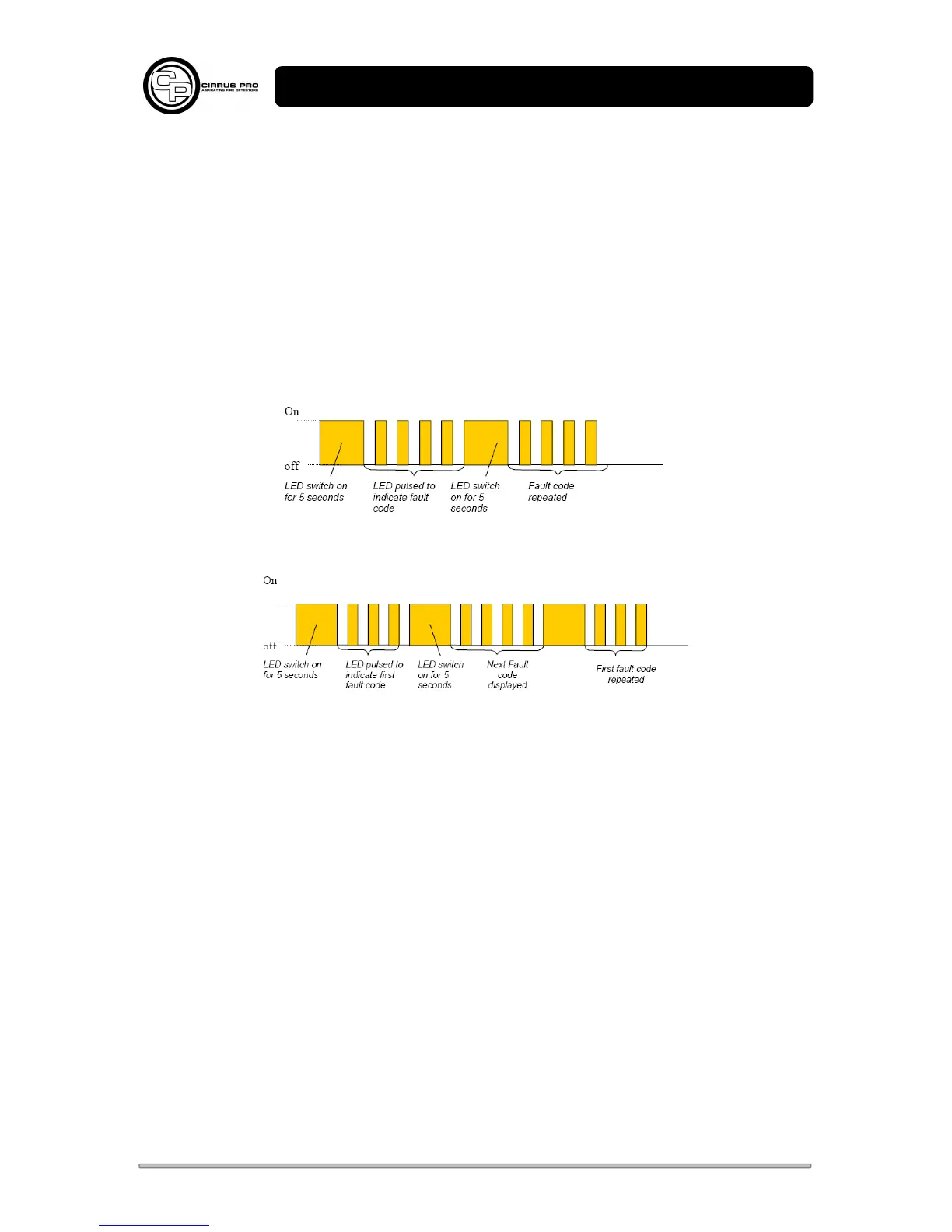
The Fault LED will illuminate for 5 seconds, then pulse a number of times indicating the fault code.
When the code is complete, the Fault LED will illuminate for 5 seconds.
The code will repeat or further fault codes will be indicated.
Faults are indicated in numeric order i.e. Code 3 before Code 4 etc.
Fault LED indicating one fault (fault code 4 – No water).
Fault LED indicating two fault codes (fault codes 3 & 4).
The sequence will repeat until the Silence Button is released.



 To Next Page