Before You Throw the Switch page 16
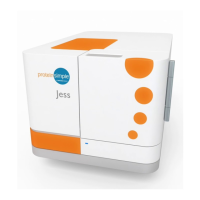
User Guide for Jess
Before You Throw the Switch
Ensure that everyone using Jess has:
• Received instruction in general safety practices for laboratories.
• Received instruction in specific safety practices for Jess.
• Received instruction on handling of biohazards (if biohazardous materials are to be used on Jess).
• Read and understood all related SDS documentation.
Power Up
1. Turn on the computer connected to Jess.
2. Turn on the main power switch located on the rear panel.
3. Wait for Jess to initialize.
4. Double-click the Compass for Simple Western software icon to open the application.
5. Connect to the Jess instrument.
6. Run the Self Test.
Running Immunoassays
Step 1 - Get Ready
1. Create or open your assay file in Compass for Simple Western.
2. Prepare the assay plate following the procedure in the product insert.
NOTE: The first capillary in the cartridge has been optimized for running the ready-to-use biotinylated
ladder. Using it for a sample may increase your assay variability.
3. Open a capillary cartridge package and insert the cartridge into the cartridge holder. The light in the
cartridge holder will change from orange to blue when inserted correctly.
4. Remove the plate lid and seal and place the assay plate into the plate holder.
5. Click Start.


 To Next Page