Imaging a Blot page 20
User Guide for Jess
!WARNING! BIOHAZARD
Capillary cartridges and sample plates should be handled by procedures recommended
in the CDC/NIH manual: Biosafety in Microbiological and Biomedical Laboratories (BMBL).
The manual is available from the U.S. Government Printing Office or online at
http://www.cdc.gov/biosafety/publications/bmbl5/.
Depending on the samples used, the capillary cartridge and plate may constitute a bio-
hazard. Dispose of the cartridge and plate in accordance with good laboratory practices
and local, state/provincial and national environmental and health regulations. Read and
understand the Safety Data Sheets (SDSs) provided by the manufacturers of the chemi-
cals before you store, handle or dispose of chemical waste.
Stopping a Run
1. To stop an immunoassay, click Stop. When the run stops, the Start button with reappear and she’ll start
a process that plugs the capillaries in the cartridge. The stopped status, date and time will display in the
Run Summary screen.
2. Once that’s done, you can remove the capillary cartridge and plate and discard them.
Imaging a Blot
Step 1 - Get Ready
1. Open Compass for Simple Western software on your desktop.
2. Make sure that the software is connected to the instrument.
3. Prepare the membrane and assemble the blot cartridge following the product insert.
4. Insert the blot cartridge containing the membrane into the cartridge holder. The light in the cartridge
holder will change from orange to blue when inserted correctly.
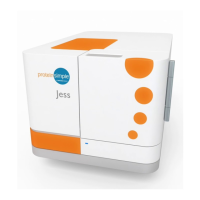
5. Close the instrument door by gently pushing it until you feel Jess pull it closed. Jess automatically
detects the blot cartridge and displays a preview image in the Start Run window for imaging.
NOTE: Jess's door must be closed before starting image acquisition.


 To Next Page