Imaging a Blot page 21
User Guide for Jess
Step 2 - Start the Run
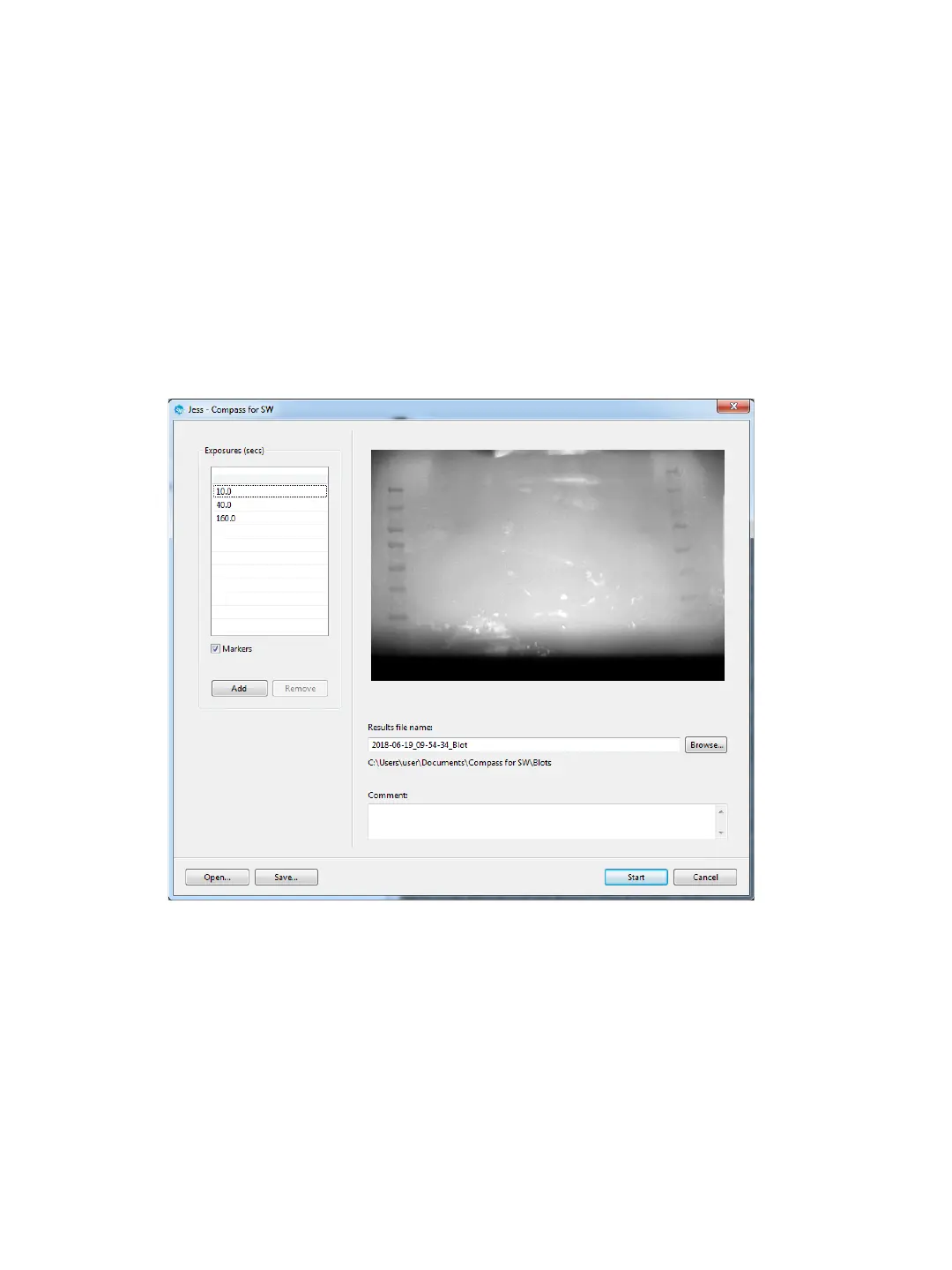
1. Edit the settings in the Exposure table:
• To add an exposure: Click Add then select the exposure time to change it.
• To remove an exposure: Select the exposure and click Remove.
• To edit exposure time: Click on an exposure and enter a new time.
2. Check the Markers box if the blot contains a molecular weight ladder.
3. Change the file name and location if desired, and click Start to begin imaging.
Step 3 - Post-Run Procedures
When imaging is done, you'll need to:
1. Remove the blot cartridge.
2. Remove your membrane and clean the blot cartridge by rinsing it thoroughly with water. Dry with a lint-
free wipe.
3. Wipe down the area under the blot holder inside the instrument using a dry lint-free wipe.


 To Next Page