Protimeter Grainmaster Page 9
6 Calibration Check
The Grainmaster i is supplied with a ‘Quickcheck’ device for verifying the instrument
calibrations are correct with respect to factory settings. The procedure is detailed in the
following steps:
1. Ensure that no external probe is connected and that internal grain cell is clean and dry.
2. Deactivate ATC as detailed in section 4.0.
3. Select the 0 – 100 relative scale as detailed in section 2.0.
4. Place the Quickcheck over the grain cell and hold in position to ensure contact with the
concentric electrodes.
5. Press and hold . The instrument should display 36.5 ±1.0. If the reading is not
within these limits, the instrument should be returned to Protimeter for servicing.
6. Reactivate ATC as detailed in section 4.0 before continuing to use the instrument.
7 Information Codes
The instrument displays a range of codes that represent various conditions as detailed in
Table 4 below:
Note: If other error codes appear on the display, the instrument should be returned to the
Amphenol Advanced Sensors service department.
Table 4: Codes Interpretation
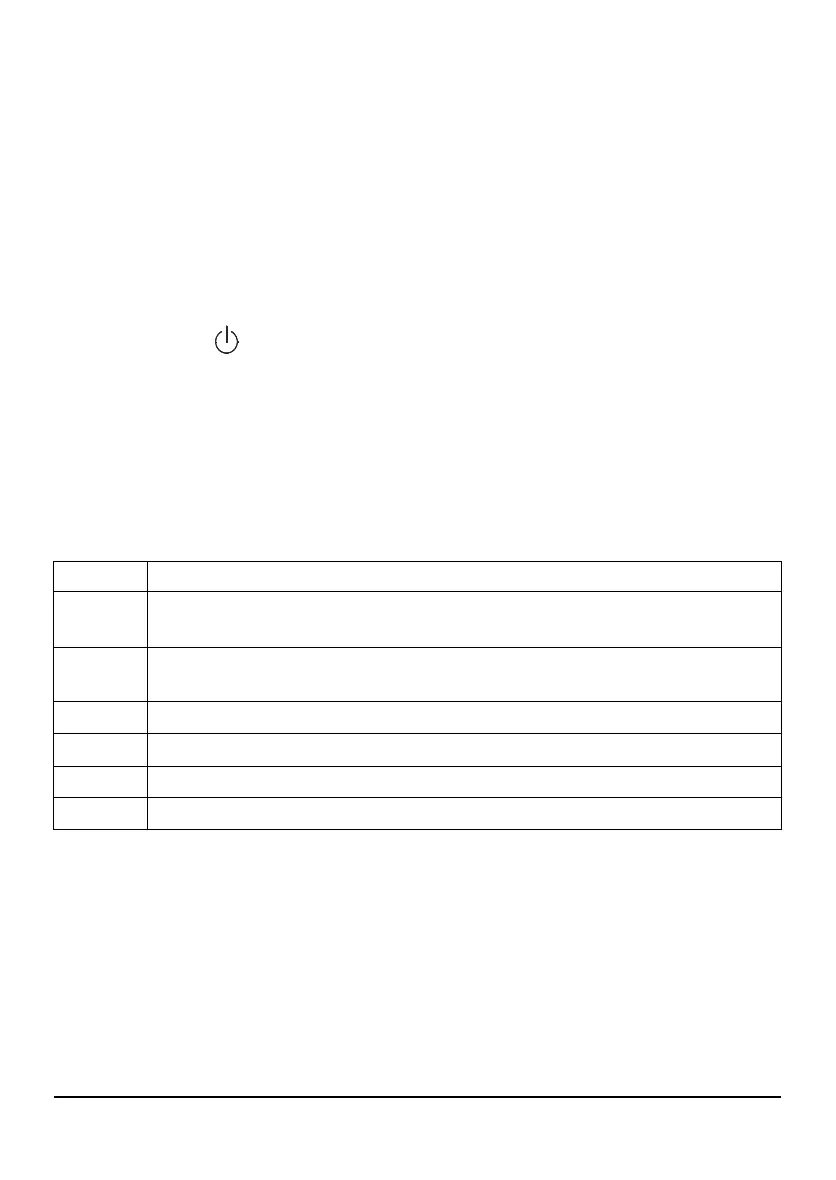
Code Interpretation
- - -
Standby mode. When showing, use or to select required crop or leave 7
seconds to switch OFF automatically.
u - r
Under measurement range. The crop sample is too dry to register a value or
temperature is too low / faulty.
o - r
Over measurement range. The crop sample is too wet to register a value.
°C or °F
(flashing) automatic crop calibration is deactivated.
!
(flashing) Crop calibration has been adjusted. See section 2.1 for details.
[!]
Low battery power. Change the battery.


 To Next Page