TROUBLESHOOTING
LOW BATTERY ALARM
The lights will flash when the battery is low. Land the drone as soon as possible
and recharge the drone.
RE-CALIBRATING THE DRONE
If the drone crashes and after re-starting and trimming, it still is unstable,
you have the option to re-calibrate the drone.
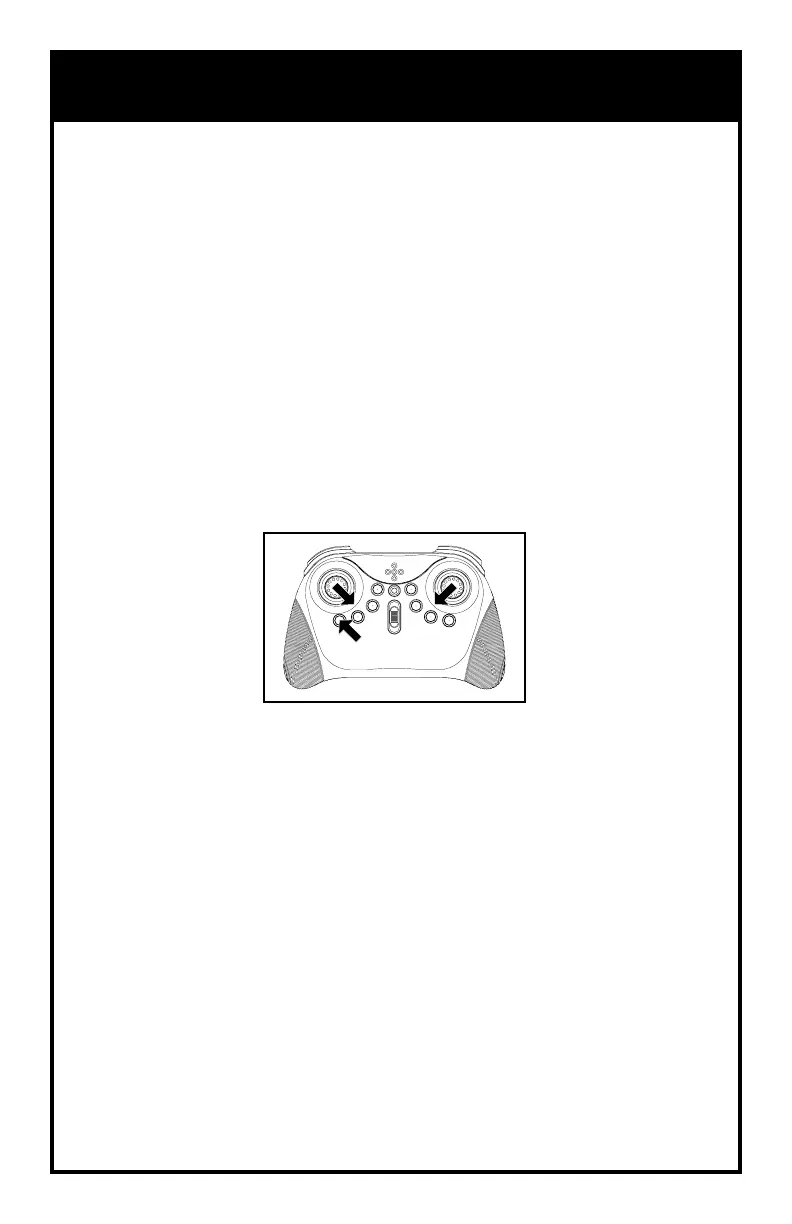
1. Turn on the drone and then the remote and sync.
2. Push the throttle and the direction sticks to the lower center corners
and release.
3. OR Press the Calibration button for 1 second and release.
4. The lights will flash to indicate that the drone has re-calibrated.
14



 To Next Page